No Apple Store in Philadelphia
From Jason Greshes:
Thought you would like to know a little bit about Philadelphia and
some of the reasons there is no Apple Store here.
First, the number of places where there could be an Apple Store in
Philly is extremely, extremely limited. Any type of high-end retail in
Philadelphia is limited to four blocks of Walnut Street between 15th
Street and Rittenhouse Square - most other high-end retail for the area
is exactly where the Apple Store is located, King of Prussia. There
were rumors about an Apple Store going into one of the few empty
properties that were available - a Borders that had closed and moved a
few blocks east - but that never happened, and space is a mix of stores
including an H&M. There aren't many good candidates for an Apple
Store right now, plus the two independent Apple dealers - Springboard and Bundy's - are very close - Bundy's
a couple of blocks south on Chestnut Street, Springboard a couple of
blocks west of Rittenhouse Square on Walnut. Springboard I've dealt
with several times, and the service I've gotten there has been as good
as or better than Apple Store, although their hours aren't as
convenient as an Apple Store would be.
More than geography, though, the other issue is probably
Philadelphia's really nightmarish business tax system. In addition to
taxing the square footage a business uses, Philadelphia also has a
gross receipts tax and a net profit tax. What that means is that, like
most cities, Philadelphia taxes what a business earns (profits) but
also has another tax on a business' income regardless of whether the
business turns a profit or not - it is a tax on the gross receipts of
the business, without regard to costs outlayed by the business, rent,
or the price the business is paying for the merchandise itself. (For
example, years ago the people that toss newspapers in front of houses
in the morning got slammed for gross receipts taxes for the
subscription money they collected for the Philadelphia Inquirer.
All that did was hand the money over to the Inquirer, but since
they were conducting business and collecting money, the deliverers had
to pay tax on the subscriptions they were collecting.) As a result,
Philadelphia is usually one of the last places a chain opens a store
and is generally considered a lousy place to start doing business.
I have no idea how much these have to do with Apple's local
decisions; I do tend to think that Apple wouldn't be foaming to find a
store in a very limited, constrained area composed of a few blocks, in
a town with new-business punishing taxes, where there are already
existing retailers, where the big money shopping is out in suburban
malls where Apple already has stores, and where a giant chunk of the
customers they would get are Penn and Drexel students using educational
discounts.
Jason
Jason,
Thanks for sharing this information. It almost sounds
like Philadelphia is actively encouraging businesses to locate in the
suburbs.
Dan
Not really . . . they would like to not be in this shape, but there
they are. The City has been doing small cuts in business taxes for
years, and the mayor that was just elected might be the best guy the
town has elected since the 50s. Frank Rizzo was giving away the store
in union contracts around the same time the City's industrial base was
disappearing, and the City's tax structure has been out of whack ever
since. Philadelphia has wage and business taxes that are very high, and
real estate taxes that are at a lower rate than the suburbs. Any large
scale reduction of business and wage taxes would result in much higher
real estate taxes, and that would be hard to swallow in a city that has
a lot of unemployed and underemployment, and also a great number of
elderly.
Jason
No Apple Store in Philly
From Ian Anderson:
Hi Dan,
I'm just writing in reply to today's mailbag, specifically Joe from
Philly. While there's no Apple Store in the city of Philadelphia
itself, there is one up I-76 (Skuykill Expressway) in the King of
Prussia Mall, one in Ardmore, and one
in the Lehigh
Valley.
Philadelphia has none within the city limits, but Pittsburgh, with
about 1/5 the population of Philly, has two! This makes no sense.
Oh well.
Ian Anderson
Levittown (Philly's first "suburb"), PA
Apple Store in Philly and iSub Working with
MacBook
From John Martorana:
Hi Dan,
 Couple of notes on the
mailbag...
Couple of notes on the
mailbag...
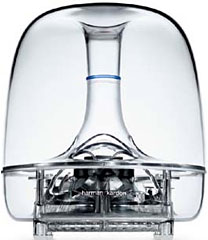
I've had an iSub since 2002, and I'm pretty sure that I've used it
with my MacBook both with an iMic present and without it. I'll check
again, but I'm pretty sure it works - I'm not a Leopard user yet, so
maybe that has something to do with it.
I live about 30 miles north of Philadelphia now, and while it is odd
that the city itself does not have an Apple Store, there is an Apple
Store at the King of Prussia Mall which is about 30 minutes or so
outside the city. The King of Prussia Mall is like a small shopping
planet with its own gravity . . . one of those malls where
you really do need the map - so Apple may believe that it has this area
covered for a little while.
Thanks Dan,
John Martorana
Thanks for the feedback, John!
iSub 'Works Well Most of the Time'
From Grant Davis:
Wow,
I hadn't realised how bad it was. I have my iSub attached to the USB
port on my PowerWave
USB audio device, and the iSub works very well most of the
time. There are some issues where the iSub cuts out and all bass
audio is lost or piped through the Pro speakers attached to the
PowerWave, even when the iSub volume is visible in the Sound Preference
pane, but this seems to be a PowerWave issue. If I completely unplug
and power down the PowerWave and reattach, the routing of bass audio is
properly restored.
I suspect iSub support will completely disappear with Leopard, even
with this setup, going by the links you gave me.
Thanks,
Grant
Another iBook Question
From Brian Troisi:
Dan,
I hate to bother you again, but I have a question about which iBook
I should get. At
PowerBook Guy there are a list of iBooks I may want.
I am leaning towards the iBook 1 GHz 512 MB RAM 30 GB hard drive.
The price for that is $499. But the iBook from BetaMacs that is $399
with a 256 MB upgrade (would make the total RAM 512 MB) is only $420.
Do you think it is worth the extra $80 for the iBook from PowerBook
Guy? The iBook from PowerBook Guy is restored to its factory defaults
and has Mac OS X Panther installed. The one from BetaMacs has
Tiger, but it also has a "minor hairline crack on the bezel surrounding
the LCD. Hardly noticeable and doesn't affect functionality. " Could
this crack develop into something much worse easily and cause damage to
something like the microphone or screen over time? Or could it get
bigger (wider or longer) and really look bad? Thank you so much!
Brian
Brian,
A crack in that location shouldn't be a big deal if
you handle the iBook carefully. If you're going to treat it roughly,
though, all bets are off, as cracks tend to get worse with stress.
Dan
Irritating Mac Lovers
From Dave in response to Once You
Go Mac..."
Hi Dan,
This kind of opinion is one of the most irritating thing about "Mac
lovers".
I use a Windows XP machine at work; I have a number of various
systems at home, including a MacBook, a (G4) Mac mini, home-build PC,
Toshiba laptop, etc.
I have used Macs since about 2001. I have used computers since I was
about 6 years old.
There are many things better about Macs. But there are many things
better about Windows, too.
The Finder is - well, awful. Terrible. Explorer is so much
better. Detail view . . . and it doesn't muck up so you have
odd scrollbars where, in truth, none are needed. And it's much, much
quicker.
That's my main problem with Macs, in fact - the speed. XP is snappy.
Unless you're trying to do too much at once or seriously hammering the
hard drive, it feels responsive (I'm talking database application
stuff, not just using one tab in Firefox).
On my 2.16 GHz Core 2 Duo MacBook, sometimes clicking new email in
mail takes a few seconds to pop up an almost empty window for me to
type in. Starting Firefox, Mail, and iTunes on boot (oh don't get me
wrong, boot is fast, but doing anything once booted?) takes
10-15 seconds of waiting for anything to respond.
I have AVG Free on my XP machines at home; it updates every day. Its
hardly a chore to, er, ignore it while it does its work. If you don't
want viruses, don't go to dodgy sites, simple. I have never got a virus
on a machine I own.
He "only" needs 4 apps for maintenance?!? My word. How is that
better than an email client you ignore, Spybot, and AdAware?
I like my Macs, I wouldn't be without one. But OS X being "so so
much better" just isn't true. You can browse, email, print, and yes
muck up both systems easily enough. This smugness really doesn't suit
"the community" - its the same old same old on every Mac site, "Macs
are great, Windows is the devil!" and its dull. You can do
everything on both. Simple.
I enjoy many of your articles. But you're pretty much preaching to
the converted, or people who will be irritated by this kind of stuff,
in my opinion. Why not give us some interesting articles - 50 useful
keyboard shortcuts (I only just figured out "Enter" does the default
thing on a dialog box, but space does the thing with the faint blue
border, and responds to tabs as usual...), alternative programs, I
don't know.
Anyway. Apologies for the rant.
Cheers,
Dave
Dave,
We try to avoid blind fanboyism at Low End Mac. We
love our Macs, and we're fans, but we're thinking fans. We don't
believe that Apple/Steve Jobs can do no wrong. We don't believe that
Windows is so inferior as to be unusable. We recognize that Mac have to
coexist with Windows and Linux computers, and we know that Apple hasn't
cornered the market on innovation or quality.
We believe that Macs are the best choice for most
users most of the time. Not for every user all the time, as some
software is only available for Windows.
Anyone who made the transition from Mac OS 9 to OS X
can tell you how fast and responsive the Classic Mac OS was and how
sluggish OS X is in comparison. It's become better, but the eye
candy takes its toll, especially on older hardware.
Don't use boot time for Firefox as an example of the
Mac's sluggishness. It's a horribly slow loader, as I rediscover every
time I launch it. On my 1 GHz dual G4 Power Mac, it takes 3-4 seconds
to launch Camino, about 4 seconds for Safari, 3 seconds for iCab 4, and
17-20 seconds for Firefox. (BonEcho, the G4-only build that I have on
my Power Mac takes just as long.) And KompoZer, the HTML editor rooted
in Mozilla, is another horribly slow loading program.
The reason OS X seems less than responsive is that
it's doing so much in the background, and that only gets worse with
each new version. Of course, some of that code is improved along the
way as well, so every update is a mixed bag.
Most of us are longtime Mac users. My first Mac
experience was in 1986, and Charles Moore has been using Mac since
1992. We don't even think about what new Mac users might not know; Macs
are second nature to us. If one of our writers were to submit a column
on keyboard commands, I'm sure we'd publish it.
Dan
Mac vs. PC Superiority Debate
From Bob:
I read your article "Annoyed by
Mac Users who Bash Windows". I disagree with some of your
points:
"3. See point 2. Malware will make Windows PCs
sluggish and more prone to crashing. Antivirus software will also make
them more sluggish."
I'm a open-source freak, so both my computers have free antivirus
programs; my new Pentium dual core notebook has AVG Free Edition, and
my six month old Via C-7M runs Clamwin. I agree that malware protection
slows down PCs, but by all standards, it really doesn't slow them down
that much, if hardly at all.
"The point is that Macs tend to remain in daily use
much longer than Windows PCs do. And even when they're retired from
regular use, Macs tend to be set up as file servers, messaging/email
terminals, computers for the grandparents or kids, etc. And they rarely
end up in landfills. I think part of that is the emotional attachment
Mac users have to their computers; we hate to orphan them."
I used a 1998 Gateway Solo for email and file sharing until early
January when it died; it was great, and I only upgraded it twice; I
maxed its RAM to 192 MB and put XP Pro on it, I even had Clamwin on it.
Surprisingly this laptop was pretty zippy, not any good for heavy
tasks, but for browsing the Web on Firefox, working as a wireless print
server, and listening to internet radio it was great.
"6. You're right. 6 million Frenchmen can be wrong.
Everyone once thought the world was flat. 10-12 years ago, almost
everyone believed Apple was doomed. And hundreds of millions of Windows
users think it's the only real choice. The masses can be wrong - and
often are."
I don't use Windows because everyone else does, about a year ago a
bought an old iBook (500
MHz) to try out OS X; it wasn't as fast as my old Gateway, but
I didn't base my decision on speed. It was a nice machine, just like
all other Apples. The simplicity of OS X was nice, it was polished
to perfection, you could tell Apple engineered OS X for the end
user, but it wasn't right for me: I like Command Prompt much better
than Darwin, and the selection of freeware for Macs was certainly less
than satisfying. When I got my new laptop I was stuck between a Acer
Extensa and an Apple PowerBook 15 inch 1.33 GHz. I chose the Extensa
mainly because I didn't want to have to deal with the insane
requirements for upgrading the OS. I'm not a PC fanboy or a Mac hater,
but now I believe PCs are the better choice.
-Bob
Bob,
The point of my point 3 is that the more software
being actively run simultaneously, the more the computer will become
bogged down. That applies to malware and anti-malware programs, as well
as running multiple browsers with lots of tabs and/or windows, having
an IM client running, etc. as well. The worst part is that this is even
worse for older, slower hardware. You can take Leopard and Vista as
examples, as they both have more tasks running than their predecessors
and feel sluggish on older hardware.
I don't doubt that some PC users keep their computers
for years and years, but as a percentage of Windows users, they are
much lower than those who keep using their Macs for sometimes a decade
or more. (I knew someone 15 years ago who still used a Macintosh 128K or
512K. It did
what was needed, so there was no need to upgrade or replace it.)
Fortunately for those who like their old computers, they're often
supported for several years before a version of Windows or the Mac OS
completely leaves them behind. Then we're "stuck" with an outdated
operating system that still does everything it did when it was first
installed - if not more.
As far as "insane requirements for upgrading the OS",
Vista requires a 1 GHz CPU vs. 867 MHz for Leopard (and we've had
reports of users running it on 400 MHz G4 Macs). Vista requires 32 MB
of video memory and DirectX 9 graphics vs. any ATI or Nvidia card Apple
ever put on an AGP bus. Microsoft recommends 1 GB of RAM for Vista
(512 MB required), and we've had reports of Leopard running with 384 MB
(Apple's official requirement is 512 MB).
I'm not a Mac fanboy or PC hater, but I appreciate the
Mac's stability, ease of use, and freedom from malware (not a single
virus in the wild since OS X was introduced in 2001). I recognize
that a lot of people are productive on Windows, many know how to keep
the malware off, and some actually like the operating system. All that
really matters is that we can get our work done without the computer
getting in the way.
Dan
Dan Knight has been publishing Low
End Mac since April 1997. Mailbag columns come from email responses to his Mac Musings, Mac Daniel, Online Tech Journal, and other columns on the site.



