One of my most treasured "classic" books is How to Keep Your
Volkswagen Alive - A Manual of Step by Step Procedures for the
Compleat Idiot. This book was written by John Muir (no, not
that John Muir) and first published in 1969.
The author defined an "idiot", for the purposes of the book, as
someone who knows nothing mechanically. It was targeted at people
who were unknowledgeable but could see the value in performing
virtually all of the required repairs to their air-cooled Beetles
and busses.
I used the book, which was written in hippie speak, to rebuild
engines and do countless other repairs. Although I no longer have a
VW, I keep this motor-oil-stained book on the shelf with my other
classics. It's the standard by which I measure all other "how to"
books.
The "Dummy" for the Job
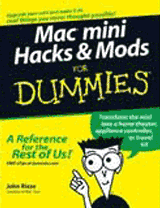
I enthusiastically accepted the job of reviewing Mac mini
Hacks & Mods for Dummies, when our editor, Dan Knight,
offered it to me. I'm a huge fan of this minuscule Mac but know
very little about its inner workings.
I'm very aware of its shortcomings, so I have the willingness to
try to improve it. I have performed hardware and software hacks on
Macs in the past, so clearly I have an interest in that area as
well.
Just take a look at your cute Mac
mini. Isn't it just begging for a mod?
The Authors
Some might ask, "Why should I spend $24.99 on a book when there
is so much information like this on the Web?"
It's true, if you do a search on "Mac mini overclock", for
instance, you will get a variety of instructions on the subject.
Most of the authors of this information have performed the
operation, which is extremely tricky and not for the faint of
heart, only once. They may or may not have provided all of the
cautionary information you need or described the specialty tools
and optics required to perform the procedure with the least amount
of risk.
When commencing an operation that could easily kill your Mac,
who would you like to have telling you how to do it, someone who
managed to do it just once?
John Rizzo has worked as an engineer for Boeing, building
aircraft electronics. He purchased an original Mac 128K in 1984 and later performed his
first Mac hack by soldering in more memory. Eventually, he hacked
in a new motherboard and an internal hard drive. He's written
several Macintosh and Windows books. His columns, features,
reviews, news, and analytical stories have appeared in every major
Mac magazine and several other computer magazines. John also
publishes MacWindows.com,
a site designed to help Macs get along in a Windows world.
Co-author, Arnold Reinhold has been programming computers since
the vacuum tube days. He's been a loyal Mac user for 20 years. He
has worked with spacecraft guidance, air traffic control, CAD,
robotics, and machine vision. He has also written on the subject of
Internet technology for two other books in the Dummies series.
 A Warning
Much of the content in this book was already outdated at the
time of its publication. It was written prior to the introduction
of Apple's "stealth upgraded" 1.33 -
1.5 GHz G4 minis and the January 2006 Intel minis. If you have one of these, some
or much of the content may not apply to your Mac. You may be better
off waiting for a second edition.
This review would have no credibility if I didn't try a couple
of the procedures in the book. I will describe one procedure in the
book where I ran into problem later in the review.
Part by Part
Part I: Owning a Mac mini
Part 1 of Mac mini Hacks & Mods for Dummies discusses
the reasons why you might want to alter your mini. It explains what
you are expected to know and where to find the information if you
don't know it. An overview of the procedures is given, and it
details how to organize for a mod.
There's a section about the best ways to travel with your mini,
along with a very good glossary of port terminology. If you don't
know USB 1.1 from USB 2.0 from FireWire 400, this and more is
explained understandably and concisely.
A chapter in Part 1 explains exactly what kinds of things you
can plug into your stock mini.
I ran into some misinformation here.
A product called the Tritton
SEE2 is mentioned as a way to add an additional monitor to your
mini via one of the USB ports. A visit to the company's website
revealed that, although there were plans to manufacture one, no Mac
version of the device is available and the current version can't be
made to work with Macs.
There is an alternative VGA video adapter for Windows. The
Matrox
DualHead2Go is
said to work with OS X Macs, at least to some extent. I have
not tried this product and can't vouch for it.
In any event, do your own investigating before you buy
anything.
Part II: Cracking Open the mini
Much of what follows in the book hinges on this part. It tells
you how to properly open your mini's case and disassemble the
internal parts. It also covers what will and won't void your
warranty (if you still have one). There are good instructions for
replacing the battery and resetting the PMU.
All of these instructions are easy to follow your first time
inside the mini. Just be aware that the connectors may not want to
budge easily the first time you disconnect them. This possibility
is not mentioned in the book.
Apple may have made some changes in the connectors in recent
minis. I found a small screwdriver to be useful in levering them
out by their flanges. Don't pull on the wires, and be careful about
what you lever against.
Part III: Upgrading the mini Yourself
This part covers installing and configuring upgrades such as
internal Bluetooth, AirPort Extreme, memory, the hard drive, and
the optical drive. It also covers options for external USB AirPort
and Bluetooth.
I had already upgraded my mini's memory to 1 GB before I knew
about this book, but the procedure for doing this and the other
upgrades is described carefully and fully.
Part IV: Mods for the Home
In this section you can learn how to build a media center around
your mini. It discusses how to choose and set up a TV, sound
system, software, and DVR hardware as well as calling out the
required connectors and adapters.
An interesting chapter in this part provides the instructions
for using X-10 hardware with your mini to control all of the
devices in your home. Since this uses very little processing power,
you can continue to use your mini for other things.
This part also describes how you can use a mini as an effective
tool in the kitchen.
Part V: Modding Your Car for the Mac mini
If you think it would be cool to install a mini in your car and
use it as a car stereo with a huge database of tunes or combine it
with a GPS for getting directions or use it for WAR driving, this
part is for you. It covers hardware and software installation,
wiring, and powering the mini in a car and selecting and installing
a display.
Part VI: Maxi mini Mod Techniques
If you don't know how, this part will teach you how to solder.
It also covers cutting the mini's case materials and the types of
glue and paint to use on them. It discusses some home grown and
commercial options for making the case appeal to your sense of
aesthetics.
Also in this part are some useful hacks for the OS X 10.4
"Tiger" operating system and some of Apple's included programs.
Desktop Trash
If you are still mourning the loss of some of the features of
the OS 9 interface, take heart. You can write a script that
will put a Trash folder on the desktop or in the sidebar and route
everything you put in it to the real Trash.
There are a couple of drawbacks to this. The icon you assign to
your Trash folder doesn't change when you put something in it, nor
does the discarded item show up in the folder, since it gets
redirected to the real Trash. However, it does allow you to do away
with the Dock entirely, if you wish. There are instructions for
doing that and other Dock hacks, too.
I tried the Trash mod, and after I figured out that one line of
the example script was shown wrapped and was not a new line, it
worked great.
Additionally, a software option for providing a hierarchical
menu is discussed.
Using a Fast External Drive
A chapter in this part is devoted to running a faster 3.5"
external hard drive from the mini's internal interconnect board.
Although the author mentions that you can make the cable adapter
yourself and provides the pinouts, complete instructions for doing
this aren't included. Instead, two sources in Australia are listed
for obtaining ready made cables.
Overclocking
Nobody sits on the fence when it comes to overclocking. When the
subject comes up, it's likely to spark a debate livelier than any
political discussion. You either understand the overclocker
completely or totally decry him.
Another Warning: The overclocking instructions in this book seem
to apply only to the initial release of the G4 Mac mini. If you
have a 1.33 or 1.5 GHz "late 2005" model, the jumper settings don't
appear to be the same. I found this out the hard way; you don't
have to.
Surface Mount Technology parts get smaller every few years.
That's one of the things that makes the mini possible. You should
know that each jumper involved in setting the mini's clock speed is
the size of two small grains of salt pushed together, and they are
spaced tightly on the board.
To do this mod, you should be an expert solderer and have the
equipment mentioned in the book. If your eyesight is poor or if
your hands shake, even a little, you should not attempt to
overclock your mini.
I've been soldering for nearly 40 years and do it very well, yet
I found this hack to be a real challenge.
Using the jumper position settings in the book, I first tried to
clock my mini from 1.33 GHz to 1.5 GHz. This resulted in no boot
tone or any other inclination for the mini to boot. Next, I
soldered two of the jumpers back to the board for the 1.42 GHz
setting with the same result. Fortunately, when I restored all
jumpers to their original configuration, the little Mac produced a
healthy boot tone and sprung back to life.
As of yet I have not found the correct jumper positions for
overclocking the later, faster G4 minis - but even if I do, I am
unlikely to perform the operation again. Too much soldering in the
same area on a board can damage it, and that's where I feel my
obligation to Low End Mac's readers ends. (It doesn't mean we can't
still be friends.)
Part VIII: The Part of Tens
This section provides sources on the web for additional help and
supplies. It also lists other possible uses for your mini with
brief descriptions of how they might be accomplished. These
include: An electronic scoreboard, A boat or small aircraft Mac, A
mobile Podcast studio and a pro recording studio.
Appendix
This covers troubleshooting and repairing OS X, disks, memory,
and other hardware. This information is useful to any Mac
owner.
Recommendations
As mentioned above, if you have one of the "late 2005" mini's
with faster G4 processors or an Intel mini, it may be in your best
interest to wait for a revised edition of the book.
Even though, in my opinion, it doesn't quite measure up to
How to Keep Your Volkswagen Alive (and what can?), if you
have a 1.25 GHz or 1.42 GHz G4 mini, get this book. Even if you
perform none of the hacks or mods, you will learn what your Mac
mini is really capable of. You will also gain a lot of other solid
information that will help you, if not now, then sometime down the
road.
Mac mini Hacks & Mods for Dummies. Available at your local
book store or by calling 1-800-225-5945. In Canada call
1-800-567-4797. Also available directly from the publisher
in paperback and
as an E-book.
Available from
Amazon for US$15.74. 



