Umax S900 advice
Joel A. Quiaoit
Charles,
I just discovered your articles and have found them interesting. I
have a Umax S900 604e, and I
am planning to buy another internal SCSI hard drive to complement the
2 GB IBM drive that came with the system. The problem I have
found is I can't find larger capacity drives (36 GB) with the
existing 50 pin configuration. Where can one get advice on adding
drive capacity? Any references on reputable place to by another
drive?
Thanks,
Joel Q.
- Hi Joel,
I don't know if 36 GB SCSI drives are available or not, but if
they are, they're gonna be astronomically expensive.
My advice would be to get an ATI/IDE controller (Sonnet makes a
good one), stick it in a PCI slot, and then install your choice of
big IDE drives, which are a lot cheaper and more easily available
than SCSI drives. You can still keep your 2 GB IBM drive as
well.
Charles
Fanless
From S. Pedersen
I empathize with your desire for quiet (fanless) PC cooling.
There are several noise sources: processor fan, drives, power
supply. The latter is most of the problem. A fanless power supply
alone would practically solve the problem.
I think power supply fans are oversized by design - and their
high noise is the price of a cheap yet profitable PC. No $$ incentive
to offer anything else.
Heat pipes using phase-change fluid would be a practical, more
expensive alternative - I think people would be willing to pay more,
but the noise factor is one of those things no one thinks about
during specification.
- Except for Steve Jobs and Jonathan Ive. Unfortunately the heat
of the G4 is (at least
 temporarily)
defeating them.
temporarily)
defeating them.
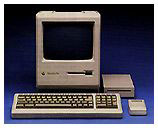
I used to love using my old (fanless) Mac
Plus running from a floppy. Only an occasional grunt from the
drive and the clicking of the keyboard.
Older PowerBooks running booted from a RAM disk with the hard
drive spun down were even better.
Charles
Presentation software?
From Josh Rodefer
Hi Charles,
I've enjoyed your columns (on all the sites), and I've been
particularly interested in your recent discussion of alternative word
processors (i.e., not MS Word). Do you know of any similar
alternative presentation packages as an alternative to PowerPoint.
I've used Claris/AppleWorks for many office-type projects, but
inevitably I come back to PowerPoint for making presentations. Any
hope that Apple will add this to future versions of AppleWorks?
Many thanks,
JSR
- Hi Joshua,
UPresent sounds like what you're looking for.
Thanks for reading!
Charles
UPresent 2.6.2/UPresent X 2.6.2 Multimedia Presentation
Software
UPresent is a
multimedia presentation application that has been used to give
presentations to tens of thousands of students at the University of
Minnesota and around the world. It has been designed for flexible,
interactive control of presentations, and a short learning curve.
Learning how to use the application takes only minutes, even for the
novice. Developed over the past eight years with input from faculty,
staff and students, UPresent makes the ideal presentation tool for
the classroom. UPresent allows you to incorporate graphics, video,
audio, 3D models, text, videodisc sequences, or links to URLs and
even launch other software applications. A scripting feature allows
you to assemble menu items in any sequence for a presentation. You
can construct multiple presentations (scripts) within a UPresent data
file, and move seamlessly between them during a presentation. The
application also allows you to embed presentations within
presentations. You can even set up scripts to run as automated slide
shows, not only with graphics but with movies and transitions. A
videodisc editor provides the opportunity to repurpose videodisc for
inclusion in digital presentations. Text tools allow you to quickly
add text to your presentations. Live video can be viewed from any
video input hardware.
The new publish to web features allow your content to be
automatically optimized for the Internet or you can grab full control
over the exported size of movies and images, the file type of images
exported, and also, a fully customizable web navigation interface for
your published site. Using a template approach to web navigation, you
can choose from the built in navigation schemes for your published
content or design your own!
UPresent 2.6 has these new features aimed at making the
application easier to use:
- Publish to web. Your content will be automatically optimized
for the Internet or you can grab full control over the exported
size of movies and images, the file type of images exported, and
also, a fully customizable web navigation interface for your
published site. Using a template approach to web navigation, you
can choose from the built in navigation schemes for your published
content or design your own! UPresent will take care of the rest.
Furthermore, CodeBlazer Technologies will be periodically
providing new templates for UPresent as a FREE download to version
2.6 users.
- Includes the new UPresent Helper AppleScript droplet that
automates creating a presentation from a set of multimedia files
on your hard drive.
- We changed some of the terminology to make it easier for new
users to understand. The old "Scripts" are now "Presentations",
"Define Menus" has become "Define Content Menus", and "Edit Items"
has become "Edit Content Items". Everything has the same
functionality as before, just with new names.
- The User Manual has been revised and updated with new
information.
- New HTML based help.
- Text cards are now stored in a cross platform format. The new
text cards can not be read by older versions of UPresent and
UGather. Text cards can be exported as SVG files now (suitable for
web page use).
- You can fit text cards to still image backgrounds via the "Fit
to Background Image" command in the Style menu. No more guessing
how large the background image is supposed to be.
- Removed the "Anti-alias" command from the Style menu of text
cards. All text UPresent displays is always anti-aliased.
- Better Mac OS X support (UPresent X)
The supported file formats are (With QuickTime 4.X Installed):
- 3DMF
- AIFF
- AU
- Audio CD Data (Macintosh)
- AVI
- BMP
- DV
- FlashPix
- QuickTime Image File
- QuickTime Movie
- SGI
- SMIL
- Sound
- Targa
- Text
- TIFF
With QuickTime 5.0, Macromedia Flash Animation and MPEG-2 will
also be supported by UPresent!
- GIF
- JPEG/JFIF
- Karaoke
- MacPaint
- Macromedia Flash
- MIDI
- MPEG 1(Macintosh)
- MPEG 1, Layer 3(MP3, M3U)
- Photoshop
- PICS
- PICT
- Pictures
- PNG
- TIFF-fax
- Virtual Reality (VR)
- Wave
System requirements:
- PowerPC based Macintosh
- Mac OS 8.1-9.x (including Mac OS X Classic Environment)
- QuickTime v4.0 or higher
- 15 MB free RAM
- 10 MB free disk space
- For Mac OS 8.6-9.x: CarbonLib v1.1 or higher
UPresent X
- Mac OS 8.6 or higher with CarbonLib or Mac OS X 10.0 or
higher
- QuickTime 4.0 or higher
UPresent is $115 demoware.
iBook (Dual USB) issues
From Ian Campbell
Charles,
I got the machine back from Apple, and the fix worked out fairly
well. Trouble is that the problem is coming back. It's not as bad as
it was, but it's there. I'll be contacting Apple again, and hoping
that they can get it so the problem does not come back. Though, other
than this, the machine has been perfect. I made the full migration to
OS X and have been nothing short of amazed by how responsive and
stable it is. Though, with the case problems I've had, and seem to be
having again, my Umax S900 will always be there as my backup
machine.
~ ian
- Hi Ian,
Sounds like you have a defective case. I wonder what they did at
the repair center? Gave it a shot of WD-40?
Keep bugging them till you get it right.
Charles
Go to Charles Moore's Mailbag index.



