Low End Mac Reader Specials
TypeStyler For Mac OS X is Now Shipping! Download The Free Fully Functional 60 Day Tryout at www.typestyler.com
OWC: We Make DIY Upgrading Easy! Maximize your Apple MacBook / MacBook Pro. Up to 8.0GB Memory, up to 1.0TB HD & More. Easy Guide + Free, Detailed Installation Videos. Click here
Don't install Parallels to play poker online! Poker Mac will show you how
to download and install a native Mac poker application such as Full
Tilt Poker Mac.
Laptop Hardware Provided by TechRestore - Overnight Mac & iPod Repairs.
Compare products like desktop computers, apple laptops, apple macs, and LCD Monitors side by side! All the information and reviews to make the best purchasing decision for new mobile phones, sat nav systems, or MP3 players. The Ciao online shopping community makes searching products easy for you.
Miscellaneous Ramblings
SeaMonkey Preview Internet Suite
Charles Moore - 2005.11.07 - Tip Jar
SeaMonkey, a new browser project under the Mozilla.org umbrella is available in version 1.0 alpha. The goal of SeaMonkey is to provide that traditional browser suite.
Ten years ago, at the dawning of the Internet as a mass participation phenomenon, there was Netscape Communicator, the overwhelmingly most popular choice in Internet software. Communicator included a browser (Navigator), an email client (Messenger), and an HTML authoring module (Composer), thus enabling users to do most of their Internet-related work in one application.
Then Microsoft Internet Explorer came on the scene and shifted the dominant paradigm to single-purpose applications. Explorer was only a browser, and for email you could use Microsoft Outlook Express. Web authoring required another application, and so on.
This motif suited me fine. I was (and remain) a Eudora email fan, so I never really used the Messenger module in Netscape anyway, and I preferred Claris Home Page or a good HTML-savvy text editor for Web authoring.
However, many Netscape users liked the all-in-one approach, which Netscape Communicator has stuck with to this day.
Netscape is no longer being developed for the Mac, but Mozilla.org, which was formed in the late 1990s to develop Netscape 5, finally released Netscape 6 to the public. Mozilla.org have also offered a suite browser called Mozilla that incorporated the classic Netscape multi-module motif, but with a cleaner, interface and fewer commercial bells and whistles.
In the early 00s, Mozilla began developing a new browser called Firefox, which adopted the Internet Explorer single-purpose application motif. Also available was a companion, freestanding email client called Thunderbird. Firefox and Thunderbird were supposed to replace the Mozilla suite, but the latter continues to be available in version 1.7.x, and it still receives updates - but perhaps not for too much longer.
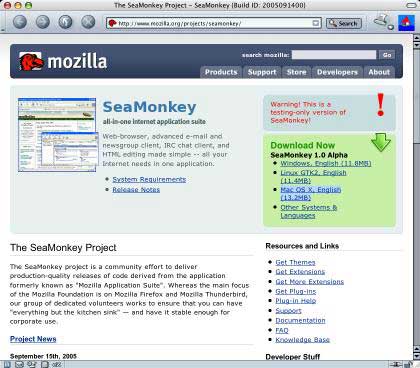
The SeaMonkey project
Internet suite fans need not worry. A new browser project under the Mozilla.org umbrella is working on keeping a suite available - the SeaMonkey suite. The SeaMonkey project is a community effort to deliver production-quality releases of code derived from the application formerly known as "Mozilla Application Suite". Their first public preview alpha version became available in late September.
At this SeaMonkey point looks almost exactly like Mozilla 1.7, as well as including a Netscape Communicator style email client, a WYSIWYG web page composer, and an IRC chat application. But underneath the hood much of the core code is shared with the Firefox 1.5 Beta browser.
While the SeaMonkey 1.0 preview is alpha software, I've been using it for most of my workaday browsing for more than a month, and have found it to be just as stable as Firefox. It may not be quite as fast (there is probably some optimization left to do), but it's not much slower, and it has the solid, competent feel users have come to expect from Mozilla browsers.
If you are a fan of Mozilla or classic Netscape, you'll feel right at home in SeaMonkey.
I'm delighted that the SeaMonkey team has chosen to continue offering a Mac OS X version in their development plans.
- There seems to be in small trend back toward suite browsers, with Opera recently adding email, newsreader, and instant messaging clients with Opera 8.x. The downside of that of course is size, SeaMonkey is a pretty big download at 13.2 MB.
As a browser, I find SeaMonkey very pleasant to use. Like the other Mozilla Gecko-based browsers (except for Camino), it doesn't support OS X Services and doesn't have Opera's wonderful "resume last session" feature. Aside from that, it does pretty well everything most of us need a browser to do, and it does it well.
One thing I especially like about SeaMonkey is that it starts up really quickly - perhaps the fastest-starting OS X browser currently available.
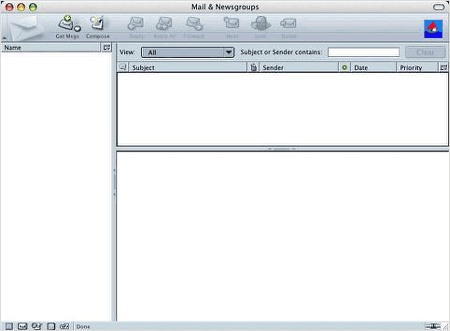
Mail & Newsgroups
SeaMonkey 1.0 Alpha does not presently include official SeaMonkey artwork, as the SeaMonkey project is still open to logo submissions from its community. The new logo will be selected from these community and integrated into the upcoming SeaMonkey 1.0 Beta, which will be the last version before SeaMonkey 1.0 ships later this year.
I did not check out the mail and HTML authoring modules other than to open them for a quick look, but I anticipate that if you are a user of Netscape/Mozilla Mail and/or Composer, you will feel right at home in SeaMonkey's version of those programs.
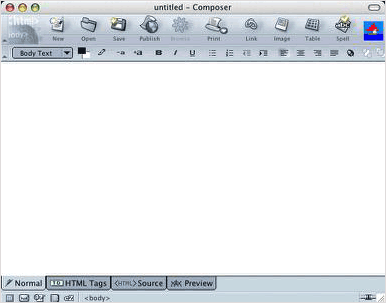
SeaMonkey Composer
System requirements:
- Mac OS X or later (10.2 or later recommended)
- PowerPC processor (266 MHz or faster recommended)
- 64 MB RAM
- 36 MB of free hard disk space
Charles Moore has been a freelance journalist since 1987 and began writing for Mac websites in May 1998. His The Road Warrior column is a regular feature on MacOpinion, and he is a news editor and columnist at Applelinks.com. If you find his articles helpful, please consider making a donation to his tip jar.
Recent Miscellaneous Ramblings
- WiFi Paranoia, iMac-O-Lantern, Magic Mouse Does Click, Free Clipboard Managers, and More, 11.05. Also strange time stamps, problem with ColorIt on Intel Mac, and the story behind OS X 10.5.4 install discs.
- Google Chrome Mac Preview Has Made a Convert, 11.02. Officially a developer preview, Google's Chrome has finally made it to Intel-based Macs. It's fast, elegant, and could be your next browser.
- Fixing a Narcoleptic PowerBook G4, the Future of Tiger Support, Spam Filtering, and More, 10.28. Also installing Leopard, disappearing features, portable Thunderbird, and web page design issues.
- 2 Wireless Alternatives to Apple's Magic Mouse, 10.27. Whether you prefer buttons to buttonless, are still using Mac OS X 10.4, or don't like Bluetooth, Targus has mice to consider.
- More in the Miscellaneous Ramblings index.
Links for the Day
- Mac of the Day: 17" iMac G4/800 MHz, July 2002 - The iMac 'grows up' with a 17" 1440 x 900 display.
- Group of the Day: LisaList supports Lisa users.
- November 8 in LEM history: 99: OS 9: I think I like it - 01: The simplified Mac life - Soured on Windows - Flea market Mac - 02: Little room for improvement in new 'Books - Combo drive upgrade for iceBooks - 04: Re-Porter - 05: Fix the old iMac or buy a Mac mini? - Apple's Copland project - 06: MacBook Core 2 - MacBook value equation - Cheap is as cheap does - 07: Problems with Classic mode in Tiger - The G4 Power Mac that won't run Leopard
- Support Low End Mac
Recent Content on Low End Mac
- Quad-Core CPU Makes Sense in MacBook Pro, OS X 10.6 Causing Overheating, Overseas Power, and More, The 'Book Review, 11.06. Also Late 2009 MacBook reviewed, how to add RAM to new MacBook, 18.4in Acer notebook used Intel i7, and SanDisk SSD chosen for Sony VAIO X.
- Dumping Macs for Google Apps, SSD in iMac, Late 2009 iMac Performance Problems, and More, Mac News Review, 11.06. /newsrev/09mnr/1106.html
- IDE Is Dead; Long Live SATA!, Dan Knight, Mac Musings, 11.04. SATA has displaced parallel ATA. While IDE hard drives haven't disappeared, the best deals are in SATA hard drives.
- QuickTime X in Snow Leopard Imports, Trims, and Publishes Video Quickly and Easily, Alan Zisman, Zis Mac, 11.04. The long, slow process of importing video into iMovie to edit it, then render it to another format, is history as QuickTime X does that much more quickly.
- More links in our archive.
Recent Deals
- Best Mac Pro Deals, 11.03. Used 2.66 GHz 4-core, $1,300; 3.0 8-core. $2,299; refurb 2.66 4-core Nehalem, $2,149; 2.93, $2,549; 2.26 8-core, $2,799; 2.93, $4,999.
- Best iPhone Deals, 11.03. New 8 GB iPhone 3G, $$99; refurb 16 GB 3GS, $149; new, $199; 32 GB, $299.
- Best 12" PowerBook G4 Deals, 11.03. Used 867 MHz SperDrive, $348; 1 GHz, $499; 1.33 Combo, $298; SD, $559; 1.5 Combo, $448; SuperDrive, $589.
- Best Power Mac G3 and PCI Video Card Deals, 11.02. Used beige 300 MHz, $25; G4/366, $49; blue & white 350, $80; 400, $90; 450, $105; PCI video cards from $15; shipping additional.
- Best Power Mac G4 and AGP Video Card Deals, 11.02. Used 400 MHz, $50; 733 MHz, $69; 933 MHz, $209; 1.25 GHz dual, $299.
- Best 15" MacBook Pro Deals, 11.02. Used 2.0 GHz, $800; 2.2, $900; 2.4, $1,000; refurb 2.53, $1,449; 2.66, $1,699; 2.8, $1,949; 3.06, $2,169; new 2.53, $1,579; 2.66, $1,799; more.
- Best Mac mini Deals, 10.30. Used 1.33 GHz G4 mini, $379; 1.42, $389; 1.5, $419; 1.83 GHz Core Duo, $350; Core 2, $439; new 2.26 GHz nVidia, $580; 2.53 GHz, $770; Server, $990.
- Best G4 iBook Deals, 10.30. Used 12" 1.07 GHz Combo, $225; 1.33 GHz, $298; 14" 1 GHz, $349; 1.33 GHz, $398; 1.42 GHz SuperDrive, $498.
- Best Classic Mac OS Deals, 10.30. System 6.0.8 floppies, $10; 7.1, $12; 7.5, $20; 7.5 CD, $4; 7.6 $13; 8.1, $11; 8.5, $20; 8.6, $90; 9.0, $20; 9.2.2, $30.
- More deals in our archive.
Low End Mac Reader Specials
TypeStyler For Mac OS X is Now Shipping! Download The Free Fully Functional 60 Day Tryout at www.typestyler.com
OWC: Mercury On-The-Go FW800+USB2 up to 1.0TB. Bus Powered, no external power supply needed. Macworld Editors Choice, CNET Very Good Starting from $99.97, 500GB $159.99. Click here
Don't install Parallels to play poker online! Poker Mac will show you how
to download and install a native Mac poker application such as Full
Tilt Poker Mac.
Laptop Hardware Provided by TechRestore - Overnight Mac & iPod Repairs.
Compare products like desktop computers, apple laptops, apple macs, and LCD Monitors side by side! All the information and reviews to make the best purchasing decision for new mobile phones, sat nav systems, or MP3 players. The Ciao online shopping community makes searching products easy for you.
About LEM | Support | Usage | Privacy | Contacts
Navigation
Used Mac Dealers
Apple History
Video Cards
Email Lists
Favorite Sites
MacSurfer
MacMinute
MacInTouch
MyAppleMenu
InfoMac
Macs Only!
The Mac Observer
Accelerate Your Mac
RetroMacCast
PB Central
MacWindows
The Vintage Mac
Museum
DealMac
DealsOnTheWeb
Mac2Sell
ramseeker
Mac Driver Museum
JAG's House
System
6 Heaven
System 7 Today
the pickle's Low-End
Mac FAQ
Abandonware
Petition
Mac vs. PC Info
Affiliates
The Apple
Store
Mac
Connection
B&H
MacMall
TechRestore
ExperCom
Crucial
Memory
batteries.com
MacMinute
MacInTouch
MyAppleMenu
InfoMac
Macs Only!
The Mac Observer
Accelerate Your Mac
RetroMacCast
PB Central
MacWindows
The Vintage Mac
Museum
DealMac
DealsOnTheWeb
Mac2Sell
ramseeker
Mac Driver Museum
JAG's House
System 6 Heaven
System 7 Today
the pickle's Low-End
Mac FAQ
Abandonware
Petition
Mac vs. PC Info
Mac Connection
B&H
MacMall
TechRestore
ExperCom
Crucial Memory
batteries.com





