
2000: I received a letter from a reader this week asking what sort of hard drive would work in his PowerBook G3 233 (233 MHz no-cache “MainStreet” version) whose original Toshiba hard drive had expired.
He said he had been getting “mixed signals” about what would work in his ‘Book and wanted to know if the 12.1 GB Toshiba 9.5mm SuperSlim 4200 rpm drive with 1024 KB cache that Other World Computing currently lists for US$199 would be an appropriate choice.
The short answer was yes. Virtually any 2.5″ IDE/ATA hard drive (including “PC” drives) will work in PowerBooks from the 5300 forward, provided that the ‘Book has enough clearance for the drive to fit physically in the drive bay, although there are a few other caveats concerning mounting brackets that pertain to older ‘Books as well (see below).
However, since the MainStreet/WallStreet can accommodate quite thick 2.5″ drives, my correspondent has a wide range of options, of which the Toshiba drive he mentioned makes a good choice, IMHO.
PowerBooks up to the 500 series has SCSI hard drives, which makes upgrade options far more limited, although IDE drives with SCSI converters are available for these older ‘Books.
The PowerBook 150 was a bit of an oddball in that it was the first PowerBook to use an IDE drive, but it required special hard drive formatting software.
A typical 2.5″ IDE drive spins at a relatively lazy 4200 RPM, although IBM’s TravelStar 32GH AV drive turns 5400 RPM – claimed to be the world’s fastest mobile hard drive. Hard drive response is the most significant factor responsible for PowerBook performance, typically lagging behind desktop machines of similar CPU speed.
This is actually the best time in history so far to be shopping for a PowerBook hard drive upgrade. Prices have been dropping steadily since the first of the year, and you can currently buy that 12.1 GB Toshiba for $199 or a 12.1 GB IBM TravelStar for $215 – amazing when you consider that old 20 MB drive for my Mac Plus sold new for about $600.
2.5″ IDE hard drives are available in the following external size configurations:
- S = Standard (17-19 mm)
- LP = Low Profile (12.5-12.7 mm)
- SL = Slim Line (9.5 mm)
- USL = Ultra Slim Line (8.45 mm)
Lombards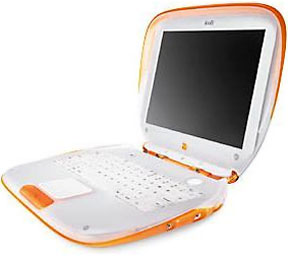 and Pismos will only accommodate Low Profile drives or slimmer. iBooks need Slim Line or Ultra Slim Line drives. The big ol’ WallStreet can handle any of the replacement IDE drives mentioned in this article.
Suppliers of hard drive upgrades for PowerBooks include (apologies to any supplier missed in this roundup; let me know):
The aforementioned Other World Computing, which offers a selection of 2.5″ IDE drives from several manufacturers.
Mac Components Engineered (MCE) offers its own MobileStor brand 2.5″ IDE Internal PowerBook Hard Drives.
Included with every MCE MobileStor hard drive is an IDE kit containing:
- Installation manual with step by step instructions and photos (makes installation a breeze)
- Special Torx tool to open your PowerBook and install your drive (and/or a Phillips screwdriver as needed)
- Anti-static wrist strap
- Mounting Bracket – needed for some models
If you have a PowerBook 5300/190, PowerBook 1400, or a Duo 2300, you will need new mounting brackets in order to properly mount any of the above MCE drives in your computer. Hard drive manufacturers have changed the location of the mounting holes on their hard drives to the extreme corners of the drive in order to make more room inside the drive. The original hard drive brackets that are inside the PowerBook 5300/190, 1400, and Duo 2300 systems will not properly mount the new drives. MCE can provide new mounting brackets, which are included free with your drive purchase.
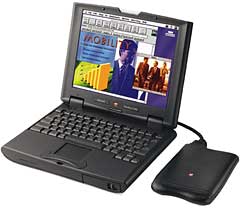 Note also that upgrading the hard drive in the PB 2400c is a complex and challenging procedure best left to professionals unless you really know what you’re doing. There are some 30 screws of varying sizes holding the case together; they all must be removed before the hard drive can be accessed. While MCE doesn’t provide instructions for this upgrade, they will, upon request, include with your new drive a JPEG photo-set on a floppy disk which will guide you through the process.
If you prefer, you can send your PowerBook to MCE, which will perform the upgrade, transfer your data, and send your system back to you via FedEx 2-day shipping.
The iBook, like the 2400, is not the easiest ‘Book to work on. iBooks use IDE drives, too, but they require a super-slim 9.5mm unit or thinner, and while swapping in a new hard drive is about a 20-minute job with WallStreet or Lombard, according to MCE:
- “The hard drive in the iBook is not end-user, or even dealer/service center, upgradeable. Just accessing the hard drive bay is a job involving the removal of over two-dozen screws, hex-nuts, plastic parts, and very small, sensitive, electronic components. If the proper level of anti-static protection is not maintained and the take-apart procedure not properly documented then a successful upgrade is nearly impossible.”
Anyway, to address this issue, as with the 2400c, MCE will upgrade your iBook via two-day FedEx return shipping.
MCE also offers the MobileStor 6400SCSI 6.4 GB 2.5″ SCSI PowerBook Hard Drive for all PB 500 Series, Duo 2XX Series, and PB 140 through 180c (except the 150, which uses IDE drives) systems.
The 6400SCS drives are actually IDE drives that have been converted to SCSI using a miniature converter card which is attached to the drive. These drives are now using third generation SCSI converter cards, and the performance levels are claimed to be excellent – up to 400% that of true 2.5″ SCSI drives. Because of SCSI bus limitations in the older PowerBooks, you won’t realize that much performance improvement, but you will notice a zippier drive.
Trans Intl. offers online availability of 2.5″ hard drives, including two new high capacity 2.5″ 30 GB and 20 GB IBM Travelstar hard disk drives. The 20 GB IBM unit is the highest capacity drive that will currently work in the iBook to the best of my knowledge.
Megahaus sells 2.5″ IDE hard drives from Toshiba, IBM, and Hitachi
Another purveyor of PowerBook hard drive upgrades is Simple Technology, whose upgrade kits include any necessary additional hardware (i.e. connectors, caddies, screws), and unlimited access to technical support, plus:
- Free EZ Drive disk management, mirroring and formatting software
- Plug ‘n’ play installation
- 3-year warranty
The Simple Technology upgrade kits use name brand 4200 RPM hard drives from Toshiba, Hitachi, IBM, and Fujitsu in 4.0 GB, 6.4 GB, 10.0 GB, 12.0 GB, 18.0 GB, and 25 GB capacities.
Yet another source of PowerBook hard drive upgrades is The PowerBook Guy, who offers a variety of ATA/IDE 2.5″ IDE and SCSI Drives.
Another reader enquired this week about external drive cases for creating an external hard drive using the drive removed from his PowerBook. There are several choices, including:
MCE’s DataShuttle Case, in which you can mount your old drive and use it as an external storage, backup, or data transfer device. The DataShuttle’s PC Card data interface is hot-pluggable, bootable, and offers data transfer rates of 2-5 MB per second (depending on the PowerBook), making it as fast as some older internal drives. It is also completely mobile, since it draws power from the PowerBook’s PC Card slot, although an AC power adapter is supplied as well for use when convenient.
The DataShuttle Kit includes the empty enclosure, PC-Card, Cable, padded carrying pouch, instructions on how to install a 2.5″ IDE hard drive, and a 1-year warranty.
Other World Computing offers a similar product; a 2.5″ IDE Drive External Enclosure with PC/PCMCIA Card Connection (2.5 Inch Drive Shuttle)
