A funny thing happened in my Mac world this week. I found myself
moving from the proud PowerBook using ranks to the proud iBook using
ranks without much difficulty.
With the slowing of the economy hitting the tech sector, I find that
I cannot justify my usual number of technology toys. In order to make
it through a thin quarter, I spent a lot of time on
eBay. My toy room is lighter two PDAs, one Dell Laptop, one Power
Mac G3, and loads of other stuff.
I made a list of the technology pieces I could not do without and
began to jettison the rest. I like to keep one machine for personal
use, one PDA to bridge the home/work gap, and one work supplied
machine.
After the first wave of sales went through, I found myself staring
at the last two machines I had - and one open machine slot. My 2001 iBook and my 2001 PowerBook had to fight
for a slot. Both machines have served me well, but both have seen less
use over the past six months as work has moved me to a PC laptop. My
PowerBook went from my primary 40 hour per week machine to my secondary
5-8 hour per week box. My wife found that she used her iBook even
less.
The issue then became which machine would remain with me and which
would find a new home. The obvious first choice was my beloved
PowerBook. Packed with 512 MB of RAM and a 30 GB Travelstar drive, this
machine was well placed to take me into the next year and beyond. This
machine is by far my favorite computer, and parting with it seemed
impossible.
That was until I really sat down and analyzed the situation.
My usage is very limited in scope. I spend 90% of my time writing,
emailing, Web surfing, listening to music, and learning Unix. I cannot
remember the last time I did any real taxing activities.
Financially, the PowerBook has maintained more of its value than the
iBook. To sell the iBook, I would find myself getting only about half
of the price I paid last year. Selling the PowerBook would fetch me
around 75% of the value of the purchase.
A third factor is my buying patterns. The chance that I would buy a
new PowerBook in the next year is much greater than the chance that my
wife would need a new iBook.
With those factors in hand, I placed an auction ad for my PowerBook.
I thought nothing more about the machine until a few hours later, when
I received an email informing me that a buyer had purchased the machine
using an instant purchase option. I felt a slight pang of regret when I
realized I really did have to let my beloved machine go.
This weekend, I began to prepare the machine for shipping. I backed
up the data to my server and reformatted the hard drive. I packaged the
machine in its original box, forcing myself not to think about what I
was doing.
After packing the machine, I began working on setting upthe iBook
for my use. This was a huge change in thought, as I must admit I was
one of those who thought those happy with the iBook were simply those
who could not afford PowerBooks. I found that this was not the case
after a few days of use.
After reformatting the drive, I installed OS X and its updates
sans any trace of classic OS (we both use 10.x). I then 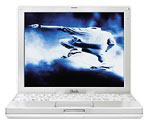 spent a few hours getting various utilities in order and all
of my applications reloaded. I then rebuilt the docks and got the
machine customized for myself and my wife (who still uses this box
sparingly).
spent a few hours getting various utilities in order and all
of my applications reloaded. I then rebuilt the docks and got the
machine customized for myself and my wife (who still uses this box
sparingly).
After playing with the machine for a few hours, I found that the
transition was not as hard as I originally anticipated. I found that
with my usage, the iBook felt as fast as my PowerBook in all tasks. As
a power user in capability who uses the machine extensively (but for
less taxing tasks), I found that I could make a few tweaks to make
everything feel "right".
As someone who had access to both PowerBook and iBook over the past
year, I have always found two major areas in which the iBook was
superior. First is durability/size. I was always a bit worried about
traveling my Ti and was extremely careful in handling the machine. The
iBook is rock solid and fits easily into my briefcase.
The second area is in wireless reception. My bedroom is about 30-40
feet from my base station, and I found that my PowerBook had problems
maintaining reception. I would spend a great deal of time wiggling the
machine around to keep a connection. I am currently writing with the
iBook while sitting out on the front porch. At 125 feet, I have full
five bar connections with the machine.
This coupled with the fact that I have small hands for a six footer
(no jokes please) and seem to type about 5-6 words per minute faster
makes the iBook a good choice for me.
I was the one that initially purchased this machine and used it as a
primary box until Ti prices fell within my reach. The only major
drawback in my mind is the difficulty in accessing hard drives. This is
really not an issue in my case, as I still have a server set up to hold
my MP3 files and other large media files.
After selling my PowerBook, I had told my wife to expect a new
machine purchase in the fall. I know the finances will be flowing a
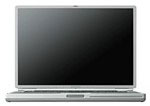 bit better around Christmas, and I have had my eye
on a PowerBook 800.
The strange thing is that I find myself actually considering buying a
top of the line iBook in its place.
bit better around Christmas, and I have had my eye
on a PowerBook 800.
The strange thing is that I find myself actually considering buying a
top of the line iBook in its place.
In my mind, the machine does what I need at about half of the cost
of the PowerBook. With the savings, I could justify a new iMac to
replace my current beige server box.
Bottom line is that while I still think the PowerBook is one of the
finest engineering achievements in computing, the iBook is no slouch. I
find the box to be as capable as my PowerBook, but with a more
convenient form factor and cost.
For all of those who purchased an iBook because they could not
afford the "pro" G4, enjoy your machine. You have a box that is
extremely capable and handles all non-AltiVec tasks as well as its
larger cousin.
As someone who had both machines, and had a choice, I give you
permission to be happy with the iBook.




