First off, I'd like to thank all the readers who have been emailingme after my previous column, Choosing MyNext Low-end Desktop Mac. I promise to reply to all of your emailsas soon as I catch up on other activities - that occur offline - in thereal world - where lawn care has become a priority.
Belonging to Groups
I was at a meeting the other day, and the speaker wanted us to thethink about the number of groups we belonged to. A couple of dayslater, I realized that I had forgotten to mention the fact that I ownedan Apple computer. I think that in many ways, we Apple users take beingpart of a group for granted.
What other brand in the computer enjoys the resource of having agroup of users who watch out for each other, take the usage of thefirm's software and hardware in ways unimagined by the manufacturer andtake an almost crazy delight in making older hardware still relevant intoday's computing world?
I don't see Dell owners excited about the rumors of a new product,but the amount of ink Apple's possible introduction of a tabletcomputer is getting is incredible.
There is no organized group of HP users who rescue old HP computersfrom the dump and turn them into something usable.
Despite the commercials from Microsoft, there is no "Cult ofPC".
We're fortunate. And I feel fortunate to be an Apple owner. It's adiverse group of people in the Apple coterie, united in our love forthe Apple experience.
Again, I'd like to thank everybody who wrote me with advice on whatmy next desktop computer should be.
Gutting the iBook
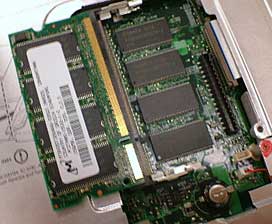
Only one RAM module in the iBook.
Even though I love Apple laptops, I had to gut the iBook G4 before Iconsigned it to the computer graveyard. First out was the RAM, butsince Apple soldered 512 MB to the logic board, I am only able tosalvage the 256 MB chip.
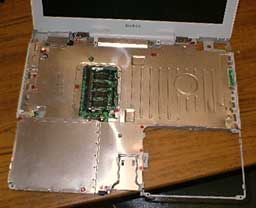
Metal place shields the iBook's electronics.
Once you've got the case apart, you are faced with a giant sheet ofmetal that must be removed to get at the goodies. There are a ton ofscrews, and I did save them for Mr. Mike, who does a lot of repair onApple laptops and desktops at the high school.
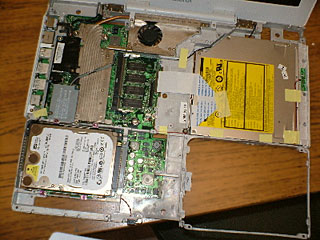
Inside of the iBook with the metal shield removed.
Removing the shielding and there it is - both the hard drive andoptical drive are revealed.
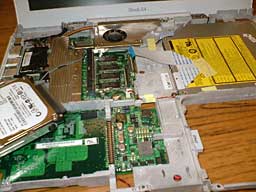
Removing the hard drive.
Removing the hard drive is simple, about six screws and the traywith drive lifts right out.
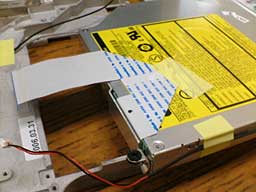
Removing the optical drive.
The optical drive needs to have the ribbon connector eased out ofthe logic board and the removal of 3 screws, and then it is out aswell. I'm thinking that will a little luck, I might be able to put theSuperDrive into an extra DVD module and upgrade my Pismo.
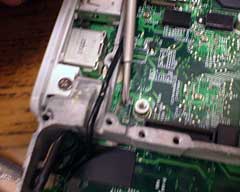
Where the power plug used to be.
My last photo shows the nature of the beast. It's probably a littlefuzzy - if I were using film, I have a great macro lens (50mm f/3.5Zuiko) and the photo would have been razor sharp.
If you can make it out, the screwdriver points to were the powersocket should be. It is not, of course, and there's the rub. Withoutthat socket, power cannot get to the logic board. For the want of anail, the shoe is lost. For the want of a shoe, the horse is lost. Andso on. 



