After an influx of MacBooks into the Hatchett haciendaaround Christmas time, I inherited my daughters G4 iBook with a pixelline of death on its 14" screen. I, of course, am still bonded to myG3 Pismo in spite ofits aged graphics card and limited software options. (I still use MacOS X 10.4 "Tiger" and had to go searching for an older version ofSkype).
Now, in addition to the pixel line of death, the iBook had a tiny 60GB hard drive. I had dropped a 160 GB drive into the Pismo, but it wasthe wrong kind of ATA, and only 128GB is useable.
Being the sort of person who can get in over his head in amicrosecond, I thought that I would switch the hard drives and get the160 GB drive in the G4 and put the 60 GB in my trusted Pismo.
Sounds simple, right?
Nope. Those of you who have tried to replace the hard drive in aniBook G4 know what I am taking about and are already trying to warnme.
The easy part - removing the hard drive on the Pismo. It's a snap.Everyone knows this.
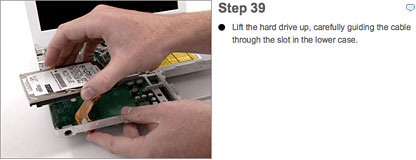
The disaster part - removing the hard drivefrom the G4 iBook is not a snap. The designer of this computer - I'mtrying to be polite - must have worked on the clamshell iBook G3. After 42 steps(don't believe it - see iFixIt!) and some moaning and groaning, I swapped the drives.
After I reassembled the G4, I pressed the power button and -no! Meaning no power. I wasn't sure if I had made the connectionfrom the power button and the main board, so I took it apart and sawthat the connector had broken away from the main board.
- I got them G4 blues
- Can't replace my hard drive easily
- I got them G4 blues
- Apple - your iBook frustrates me
Well, I had to strip the iBook down to get at the main board, and Iam now waiting for Mr. Mike to solder the connection. Keep your fingerscrossed.
Soapbox time: Apple has done a good job of making the hard driveaccessible on the white MacBooks that my sons and daughter have. But -and it's a big but - I have a modest proposal for Apple.
If I was building an ideal laptop, I would make the following thingsaccessible and removable - the hard drive, the RAM, the AirPort Card,the CPU, and the graphics card. Oh, an Express Card slot would be good,to. I don't want much, just a laptop I can use for the rest of my life. 



