A funny thing happened over the last few months. Some of you may
have read my column highlighting the
sale of my Titanium
PowerBook and a return to using an iBook as my main machine.
Something unexpected happened in the intervening weeks, and I
realized that I would have to split time on the iBook with my wife.
After years of working to get her comfortable with computers, the iBook
and OS X have finally turned her to computer use. About the third
time we fought over the machine, I decided that I needed to make other
arrangements.
I was looking into a second iBook when I found a great deal on - a
PowerBook G3 (Pismo)
500. Two years ago, this was the first Mac portable that I had ever
purchased. I sold the machine about a year ago and regretted it every
day after. As much as I loved my Titanium machine and my iBook, the
Pismo remained my favorite machine. The combination of performance,
expandability, and durability remains unsurpassed in laptop
computing.
While perusing
eBay, I found a wonderful deal on a Pismo. For US$950, I received a
machine with 576 MB of RAM, 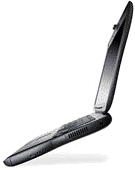 a 10 GB hard
drive, two batteries, an expansion bay hard drive (very cool), and a
Zip drive. To seal the deal, the machine is still under AppleCare for
another 6 months.
a 10 GB hard
drive, two batteries, an expansion bay hard drive (very cool), and a
Zip drive. To seal the deal, the machine is still under AppleCare for
another 6 months.
The transaction was completed, and I eagerly ripped open the box
much like a kid on Christmas. The machine was in great shape, and I
pretend that the machine I sold a year and a half ago returned to my
door.
I quickly added a wireless card and swapped the internal hard drive
for a 20 GB drive I had in excess inventory. I loaded OS X 10.1.5
and was very happy with the performance.
- Note: as of this weekend, I have been happily running OS X
10.2, and I feel it is the OS Apple should have released last year. All
speed issues are solved and I defy someone to tell me the OS is
slow!
One piece of the rig that I had never used before was the expansion
bay hard drive. I set up an emergency partition on both the expansion
drive and the internal drive, leaving about 37 GB of space to use. This
coupled with a 40 GB FireWire drive made certain I did not miss the
beige servers I packed up and sold.
In my previous article on the reasons I moved away from my PowerBook
G4, I mentioned durability, expandability, heat, and wireless range as
my main reasons for the move. I really have little use for a G4 chip
and find a G3 suits my purposes. My PowerBook must allow me to read,
write, listen to music, surf, and communicate.
The only really intensive thing I do is computer gaming. The only PC
in the house handles my gaming, as I still like having one around to
keep my tinkering and problem solving skills up to date.
The good news is that I do not have to upgrade my Macs ever year as
I do with a gaming PC.
For those of you needing a good solid PowerBook, I heartily
recommend the PowerBook G3 (Pismo). The machine is a rugged performer
with all of the bells and whistles of its heir. A nice Pismo package
can be had for between $750 and $1,200 depending on processor and
accessories. For those requiring a G4, Other World Computing sells a
Newer Technologies upgrade G4/500 for $299. I was looking into this
upgrade but have shelved the plans after the OS X 10.2 performance
increase.
One caveat: I have heard of some Pismo screens giving way with age
and fading to pink. Try to find one still under AppleCare.




