
The first developer beta of macOS Golden Gate dropped on the first day of WWDC26, June 8th 2026. Siri AI is slowly rolling out to those who joined the waitlist, quietly replacing the older Siri in the background.
- See: MacOS Golden Gate 27 Beta 2 Release Notes – Apple
. - Download: MacOS Golden Gate 27 Beta 2 Release Notes.webarchive.zip (1.5 MB)
MacOS Golden Gate development timeline
- Up until June 8th WWDC: Internal Testing Only
.- macOS Golden Gate Developer Beta 1 – Build 26A5353q – June 8th, 2026
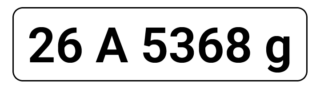
. - macOS Golden Gate Developer Beta 2 – Build 26A5368g – June 22nd, 2026
- macOS Golden Gate Developer Beta 1 – Build 26A5353q – June 8th, 2026
What’s did I notice right away?
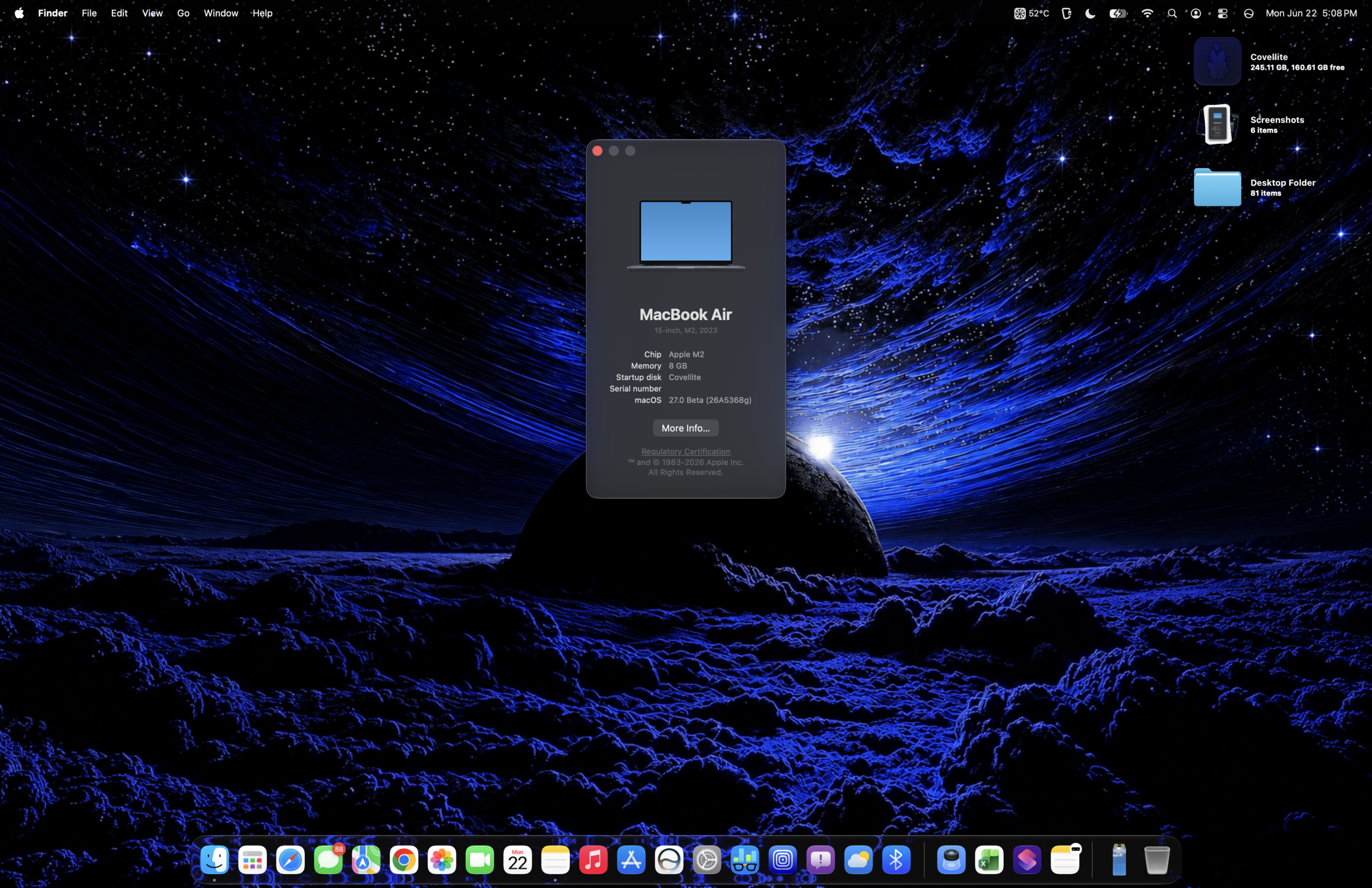
Right away after logging in, I noticed they changed the text under macOS slightly, in the “About This Mac” window.
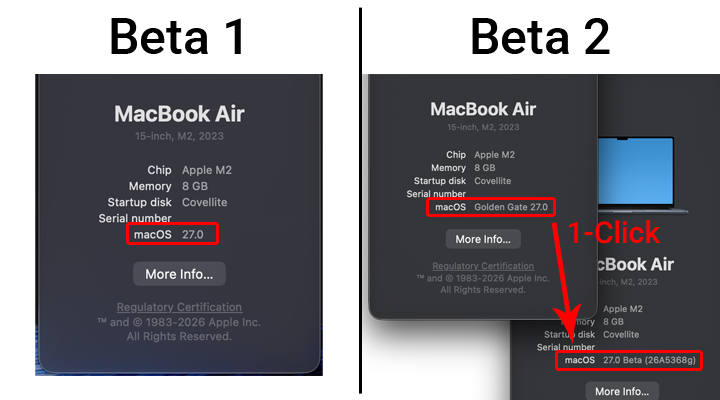
They also streamlined the upgrade process to Beta 2, going right to the desktop instead of any extra setup screens. Just like in iOS 27 DB2, Siri AI is being subtly added to the navigation/UI in some places. There’s also a new system icon for macOS 27 in Settings under “About”.
 |
 |
.
- With the new Siri AI redesign comes a total redesign of the the App drawer and spotlight, too. In the first developer beta, the App drawer popped-open from the left-to-right with the same animation as the iOS 27 Beta notifications, and looked the same as in Tahoe. With this new redesign, the animation returns to a smooth fade-in, fade-out. Thank you.
.
 .
.
- A slight bug: If you open the Apps drawer, sometimes only the rounded “Applications” bubble hovers, without any apps showing. The workaround is to click open Spotlight on the menu bar once, then it should work every time thereafter.

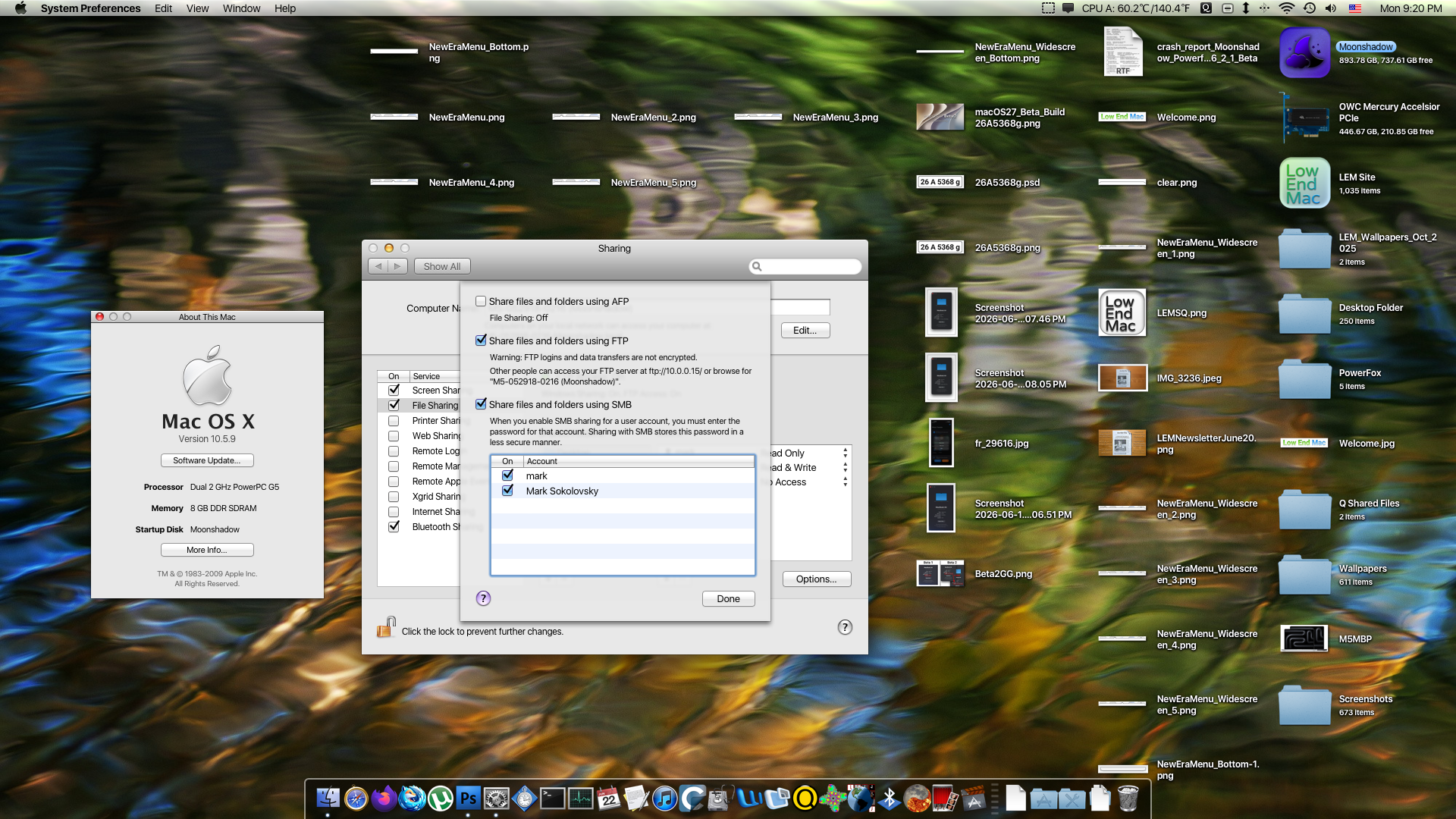
It appears as tough Network File Transfer between Apple Silicon and PowerPC has been fixed! Or it appears to be far less glitchy than in Beta 1, where authentication was seemingly hit-or-miss, and I was only able to mount Public volumes.
While AFP support indeed has been dropped, FTP works A-okay. AFP felt more seamless, reported the volume size correctly, and seemingly took less time to load, but would occasionally hang. I’ll have to try this again over LAN.
 |
 |


When keeping AFP on it’ll work for Tahoe but cause issues for Golden Gate, so it must be turned off. This becomes a sort-of switch between using Macs networking to this Power Mac G5 using Tahoe, and those on Golden Gate.
What’s new in Beta 2?
Home App
- Apple Intelligence integration
- Thermostat and Smart Plug Usage
- Flexible Accessory Setup
- The ability to update your HomePod and Apple TV under “Software Update” in-app settings
- Reduires: tvOS 27 to already be installed on the Apple TV in order for the Software Update function to work.

Siri AI in Settings
Some tweaks to the buttons/UI of this submenu in settings.

Some bug fixes
- Some toolbar backgrounds have been fixed, and no longer turn black when hovering over them with the mouse.
. - An issue where an iPhone 17, Air, 17 Pro or 17 Pro Max may not work properly with iPhone Mirroring in Beta 1.
. - For some users the Reminders and/or Notes app was crashing upon opening in Beta 1.
. - Disabling SIP may not have been possible in Beta 1 for some users
. - The dock may have rendered improperly on the bottom-right corner
. - Right-clicking was broken for some users in Beta 1 (it was somewhat of an issue for me)
. - Okta verify works again
Currently known Issues
- Your alarm clock may not work. Alarm may just show up on the screen but goes away, not making any sounds.
. - Coconut Battery does not report any values in Beta 2.
. - Some users report wonky animations/UI on Mission Control
. - Some users report a bug in mail, where if you right click a message and then use the new context menu search it filters everything away permanently until you relaunch Mail again.
.

.
- Some users report Automatic Brightness Control isn’t working the way it’s supposed to/used to.
. - One user with an M4 Pro Mac is seemingly unable to connect to the internet – no LAN or Wi-Fi is working.
. - Not all icons will show up properly in “Edit Widgets”

Artificial Benchmarks
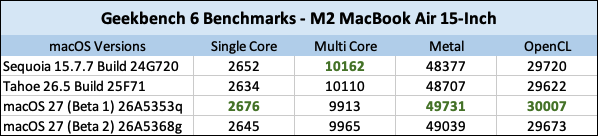
Developer Beta 2 likely reflects the CPU overhead necessary to run Siri AI, and some of the other system tweaks between Betas 1 and 2. I initially ran Geekbench in Sequoia, Tahoe, and the Golden Gate to compare and contrast the differences – so far, the numbers don’t vary drastically and the MacBook Air feels quite snappy. Overall performance doesn’t seem to have changed in Beta 2, but some animations have improved such as the Applications tray and Control Center.
CPU
- On MacOS Golden Gate
- Beta 1: 2676 (Single Core) 9913 (Multicore)
- Beta 2: 2645 (Single Core) 9965 (Multicore)
.
- On macOS Tahoe: 2634 (Single Core) 10110 (Multicore)
- On macOS Sequoia: 2652 (Single Core) 10162 (Multicore)
.
OpenCL
Metal

So far
I have just gotten ahold of the new Siri AI and wanna spend a little time before formulating an opinion. Much of the time I spent so far was getting these betas on here, testing them out, and letting the devices index. This is also just a Day-1 impression of the second Developer Beta, documenting the changes and feeling things out. Now the indexing has settled, it’s time to play with Siri AI.
It seems like some small quirks have been fixed, some animations are a pinch better while at the same time the entire system feels.. 5% slower somehow vs Beta 1?