MacBook Air 'Almost Perfect?'
From Jeffrey Harris:
Dan
I read your site every day. You provide a major service, thanks so
much.
I have to say, however, that I don't think the MacBook Air as presented is
perfect. And it is sad, as my family and I have owned a whole slew of
Macs since 1984 and have made good use of them.
The problems I see with it for me as a professional scientist and
engineer are:
- No ethernet connection. A fair number of the places (research labs)
I have to go to and work do not use wireless as a matter of policy
because of data security or interference issues (imagine a large
experimental control room with 50+ people working on a wireless net,
moving data at top speed all the time). And in many hotels outside the
US (e.g. Japan, where I go frequently), a wired connection is offered
in every hotel room, but there is no wireless.
- Non-replaceable battery. I had an iBook battery go belly up on me
overseas once and could not get a replacement except by traveling 2+
hours and paying $140 (I did without). Lesson was to have a spare,
which is not possible with MacBook Air as configured. Then there is the
problem of long air flights - and my company policy is not to
pay for business class, so recharging on plane is generally not an
option.
- Battery life like other MacBooks at 5 hours notional (less in real
life, like 3 hrs, I suspect). Maybe better if you pay 3K for the flash
version ($$$).
There are workarounds - you can take an AirPort Express or an
external battery (of course, it has to have the proprietary MagSafe
connector), but they add weight and bother. You might as well take a
regular MacBook plus spare battery at about 5.5 lb. (total cost
$1,000-1,100).
Now, I find it useful to travel with ever lighter loads. Hassle, and
my back.
And so, back in November when they were launched, I bought a two
pound Asus Eee PC with 4 gig built in flash and Linux built in for
$375. Wireless, ethernet, SDHC slot, and 3 USB ports. For $80 I raised
the memory to 1 GB (great for Linux), got an additional 16 GB
worth of SDHC storage. And I can add a portable USB drive. A spare AC
adapter cost $15, a nice case $13. For $60 more I have an external
battery (generic for DVD players) that raises battery life to nearly 8
hours. Under Linux, I find that browsing and Open Office are as fast or
faster than my iBook 1.3 GHz G4.
Geekier than Mac, but not impossible, even for non-engineer types. Yes,
screen is small, but okay on the road, and in lab at other end I hook
onto a big LCD monitor. Total cost of all the gear less than $500, and
weight with everything just a tad over four pounds.
The Eee has started what might become a revolution by giving people
a cheap Linux (or Windows, if you load it up) machine they can take
everywhere.
I had hoped Apple would come up with a slicker version of this set
up and would have happily forked over ~$1,500 for it. And I think lots
of other folks might have done so also.
One hopes that the MB Air is only the first of many thin and light
(and more open to real world use) laptops from Apple. But I worry that
it might be like the iPhone - also too constraining for my use (I use
multiple networks and SIM cards overseas, multiple batteries, and I
make good use of auto focus on the phone camera).
Very best regards
JHH
Jeffrey,
Thanks for sharing your thoughts. Like any computer
with a USB port, the MacBook Air can work with a USB-to-ethernet
adapter, but it would have been nice to build it into the computer. The
battery is a serious issue, as Apple controls the MagSafe connector,
making it costly for anyone to create an add-on battery for the MacBook
Air.
I think Asus is on to something with the Eee PC,
especially if they get a 10" model out there. It's affordable,
expandable, powerful enough, and secure, thanks to Linux. I hope Apple
will see their success and look into making a 10-12" MacBook Air, which
is exactly what 12" PowerBook users have been hoping for.
Dan
Dan
I had not heard about the USB-ethernet gizmo when I wrote you; I
knew they existed, but the ones I have seen up close were downright
clunky (we are talking external power supplies here). Today they are
written up all over, with the snark of course about lower speed.
I sure hope that Apple gets inspired by Asus's success (which only
became visible in December and was not on Apple's decision radar
before).
Now that I have a tiny Mac compatible with the EEE, I will probably
ditch the iBook as my desk/portable work 'puter and get a fully tricked
out Mini for the office.
I look forward to a hands on review from you or your correspondents
on the AirBook.
cheers
Jeffrey Harris
Jeffrey,
I don't know much about the USB-to-ethernet and
USB-to-802.11.x gizmos myself, but they exist and people are happily
using them. I'm sure Apple's USB-to-ethernet adapter is bus powered,
compact, and not ugly.
As for reviewing the MacBook Air, most of what we
review is what we've bought for ourselves, and I don't see a lot of our
writers buying a MacBook Air. We're low-end for several reasons, and
budget is usually one of them. However, one of our writers has
contacted Apple about a review unit. We'll see where that goes.
Dan
Ethernet for MacBook Air
From Daniel Decker :
Optional USB 10/100 Base-T ethernet adapter. So, wireless is not the
only option, just the standard option.
Daniel Decker
Daniel,
Thanks for writing. Yes, you can add a USB-to-ethernet
adapter, but it's not a feature of the MacBook Air. I've updated the
MBA profile and my article to reflect it. Any computer with USB can "do
ethernet" this way.
Dan
You mention down the list under "No Optical Drive"
"Of course, if the MBA isn't your only Mac, you can
rip your DVDs on your desktop Mac or buy (or rent) your videos from the
iTunes Store. Except for reinstalling the operating system, as long as
you have another computer, you shouldn't need the SuperDrive."
You don't even need an optical drive for OS installation. Remote
Disc supports Netboot over wireless. How cool is that!?
Daniel Decker
Daniel,
Very cool indeed! I'm learning about Remote Disc as
articles pop up on the Web.
Dan
MacBook Air Footprint Too Big
From David Steiner:
Dan
I'm not so sure Apple does get it. A bit thicker is fine - I want a
smaller rectangular surface area - that makes it compact and more
versatile - a 12-inch screen is fine.
Best,
DFS
Dave,
Thanks for writing. Yes, I think the MacBook Air
footprint is going to be the biggest obstacle to its acceptance by
those using 12" PowerBooks. Some will migrate to the MBA for the screen
and weight, others will hold off in hopes of something smaller.
Dan
MacBook Air - the New 2400
From Ed Simanowski:
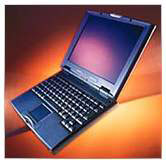 I always
enjoy your coverage of the PowerBooks and more recently the MacBooks.
As I read about the MB Air, and as everyone seems to be drawing the
conclusion that this is the replacement for the 12" PowerBook, I'm more
inclined to see the MBA as the next PowerBook 2400.
I always
enjoy your coverage of the PowerBooks and more recently the MacBooks.
As I read about the MB Air, and as everyone seems to be drawing the
conclusion that this is the replacement for the 12" PowerBook, I'm more
inclined to see the MBA as the next PowerBook 2400.
It lacks an optical drive, same as the 2400. It is a sub-notebook of
extreme light weight and size. I can see that Apple has taken a lesson
from the 2400; a full size keyboard where the 2400 was crippled by 80%
keys and a cramped layout. I can't help but feel that Apple has
stripped away many of the features that made the 2400 a more usable
laptop; connectivity, a user swappable battery, PCMCIA, and most
importantly upgradable HDD. The 2400 could even be upgraded to a
G3.
Had Apple not hindered itself by forcing a laptop into a manilla
envelope, they could have made the HDD upgradable (possibly even large
enough to be useful), provided additional connectivity (video out,
additional USB ports).
I'm afraid that the market for such a high priced laptop of limited
capabilities will meet with appeal only to a limited number of buyers
and will more than likely meet the same fate as the 2400 - a capable
performer, but ill suited for most consumers.
Ed Simanowski
Ed,
The biggest problem with the 2400 was limited
distribution. It was designed for the Japan market and never officially
sold in the States, Apple's biggest market. It was intended as a
successor to the PowerBook Duo
2300c, which sacrificed a lot of features for portability - just as
the MacBook Air does.
I have to agree with Robert Alpizar,
who sees the MBA as the true successor to the PowerBook Duo. All we
need is a dock with a USB hub, SuperDrive, video output, etc. that
could turn the MacBook Air into a decent desktop computer.
Dan
MacBook Air Disappoints
From Timothy Sipples:
Dan,
I've been waiting for Apple's entry into the subnotebook market, and
I'm disappointed. I find this machine to be an extremely odd bundle of
compromises. There are several shortcomings that you didn't mention and
others that deserve more attention:
- No audio in jack. That makes any telephony (e.g., Skype)
problematic without a Bluetooth or USB headset, and it makes field
collection of audio by podcasters likely impossible. (This is the sort
of machine podcasters and journalists would otherwise love.)
- No Kensington-style computer lock slot. The MacBook Air will
undoubtedly become the most stolen Mac.
- No memory expansion, not even build-to-order. This is the only Mac
available that cannot have at least 4 GB of memory. Memory has
historically been the factor that is most limiting and will make the
machine obsolete quicker, as countless model pages on LEM can attest.
Allegedly the prototypes had a memory expansion slot, so Apple
knew.
- No larger hard disk, not even BTO. Apple's drive suppliers have at
least 100 and 120 GB parts available in the same form factor as the 80
GB drive. Where are they in the option list? A consolation prize would
have been to add NTFS-style file compression to Leopard, but that
didn't happen either.
- A single USB port. That's awfully constraining.
- Why didn't Apple spend a little flash ROM on a "bootstrap" for the
machine, to let it reload Leopard from the Internet?
- No FireWire.
Leaving aside the jaw-dropping Japanese domestic subnotebooks (e.g.
Toshiba RX1: under 2 lb.. with a SuperDrive!), take a look at
what Lenovo has on offer worldwide for comparison: the X61s. (Never
mind the Lenovo U110, which ships next month.) The X61s is superior to
the MacBook Air in almost every respect: 0.3 lb.. lighter, full set of
built-in ports, PC Card and SD slots, memory expansion to 4 GB,
faster hard disks up to at least 320 GB, option for wide area
networking, and about $460 less expensive even equipped with a larger
hard disk than the MBA. The only tangible advantage the MBA has is the
screen: LED 13.3 (1280 x 800) versus 12.1 (1024 x 768). But the Lenovo
has a matte display and 4:3 aspect ratio, and there are a lot of people
who prefer both. The Lenovo does have a wonderful full size illuminated
keyboard. Lenovo (and IBM before) have been shipping X models for
years, and when you look at what they've done, you quickly realize that
Apple's MBA hardware engineering could have been so much more.
I'm thinking MBA Revision A is destined for Road Apple status, at
least to some degree. Others may disagree, but I'm going to wait for
Revision B.
Timothy Sipples
Timothy,
The MacBook Air isn't designed for the same users as
the MacBook and MacBook Pro. It's meant to complement or supplement a
desktop Mac, not replace it. That's why it makes no sense to leave out
the SuperDrive in my opinion: Where are you more likely to watch DVDs,
at your desk or in the field?
The MacBook Air has a built-in microphone, and with no
hard drive whine, it should be the best 'Book ever for audio input
using the internal mic.
The MBA is small enough that you can take it with you
almost anywhere, which could make it less likely to be stolen.
I don't see a field computer needing more than 2 GB of
RAM, although I can definitely see it needing a larger hard drive. A
160 GB hard drive option would have been nice, seeing that Apple uses
one in the iPod classic.
I agree on the USB port and lack of FireWire. One USB
port means you almost need to carry a USB hub, and no FireWire means
you can't connect certain digital camcorders, older iPods, or connect
the MacBook Air to another computer using Target Disk Mode.
I suspect the MacBook Air support netbooting,
something Macs have had for about a decade now. It can boot to a
Leopard install disk using Remote Disc.
Apple has basically reinvented the PowerBook Duo. Now
let's hope they get around to reinventing the 12" PowerBook.
Dan
Remote Disc
From Felix Lizarraga:
Hi Dan,
I was eager to read what you had to say about yesterday's
unveilings, and as always you didn't disappoint. I like the way you put
everything in perspective, and your analysis of the advantages and
shortcomings of the new MacBook Air, as well as the reasoning behind
them, is simply impeccable.
I would love to know your take on what seems to me the single most
impressive innovation unveiled yesterday: Remote Disc. And I wonder
whether Apple plans to make the software available for Macs other than
the MacBook Air.
Best regards,
Felix Lizarraga
Felix,
There's not much written yet about Remote Disc. The
program runs on Macs and Windows PCs, and it comes on the Mac OS X
installer DVD included with the MacBook Air. According to Apple, once
you install Remote Disc, that computer is "permanently enabled for
Remote Disc."
It sounds like Remote Disc only gives you access to
the optical drive on the remote computer, and it appears to be designed
specifically so you can run disc-based installers.
From what I've read, you can't use the remote drive to
burn CDs or watch DVDs. The same probably goes for ripping CDs into
iTunes, although there is some speculation that you'll be able to copy
files from the remote CD or DVD.
That's all we know at present.
Dan
Apple Profitability
From Gregory Weston:
Commenting on his disappointment with yesterday's announcements,
Robert Crane wrote: "Apple makes a profit of a billion dollars a month.
The changes listed above pay for themselves in days."
I'm sympathetic. Really I am. But there's a problem with the math.
I'm not sure what he's using to estimate the costs of the changes he's
looking for, but Apple doesn't make a profit of a billion dollars a
quarter let alone month. Over the last year, they've averaged
about $261M profit per month, across all sources.
Dan Knight has been publishing Low
End Mac since April 1997. Mailbag columns come from email responses to his Mac Musings, Mac Daniel, Online Tech Journal, and other columns on the site.



