It's easy for Mac users to poke fun at Windows - the interface
started life as an attempt to borrow from the Mac operating system,
and paste windows, menus, and the like over top of the
text-oriented, DOS-based PC. 1985's Windows 1.0 was ugly and
awkward, and while Windows has evolved and become less ugly over
the years, so has the Mac; Windows remains awkward by
comparison.
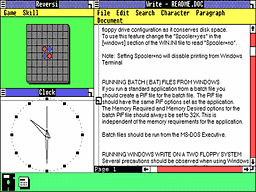
Windows 1.0
Recently, InformationWeek compared Microsoft's spanking new
Windows Vista with the current (and soon to be replaced) Mac
OS X 10.4 (see
Mac OS X Shines In Comparison With Windows Vista). Author John
C. Welch concludes that while Vista is better than Windows XP (and
that may be all that matters for millions of Windows users), "Vista
reeks of committee and design by massive consensus, while OS X
shines from an intense focus on doing things in a simple, clear
fashion and design for the user, not the programmer."
While I agree with Welch overall, there are individual user
interface areas where Windows is better than the Mac OS X.
Here's a little experiment I carried out - see if you agree with my
conclusion.
To do it, you need access to an OS X Mac, a Windows system, and
some way to read a folder on both of them. I used a USB flash drive
(a.k.a. key drive, memory stick, thumb drive, etc. A a side issue:
It would be nice for the user and manufacturer communities to agree
on a single name for these handy devices). You could also use a
CD-R disc or a shared network folder.
I created a folder on the flash drive and called it Test 1.
Inside the folder, I copied 3 files and renamed them '1", "2", and
"3". I created a second folder named Test 2, and put in 3 files
renamed "4", "5", and "6".
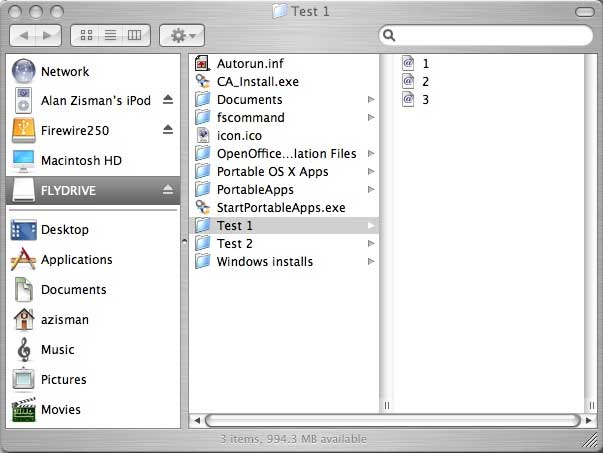
I then copied the Test 2 folder to my Mac's desktop and renamed
it "Test 1". I then dragged the original Test 1 folder from the
flash drive to the Desktop. A warning popped up:
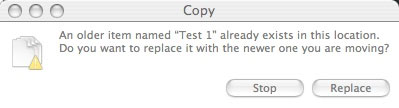
Mac OS X copy warning
I clicked Replace... the result - files "4", "5", and "6"
vanished, leaving files "1", "2", and "3" in their place. The
erased files do not appear in the Trash; they're just gone.
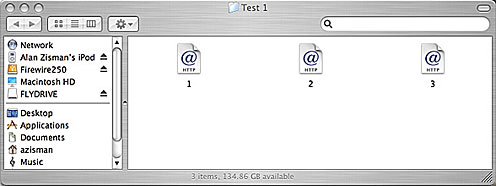
Inside the Test 1 folder on the Mac
I did the same thing with Windows. I used a copy of the new
Windows Vista which I have installed on my Mac using a beta of the
not-yet-released VMWare Fusion for Intel Macs - but you could use
any version of Windows from Windows 95 up - your dialogue boxes
would vary with your Windows version, but the results will be the
same.
As on the Mac, when I tried to copy the Test 1 folder onto a
desktop that already had a Test 1 folder, a warning message popped
up. But where the Mac's warning talked about replacing one folder
with the other, the Windows warning talked about merging folders.
It noted that if any of the contents had the same names, they would
be replaced.
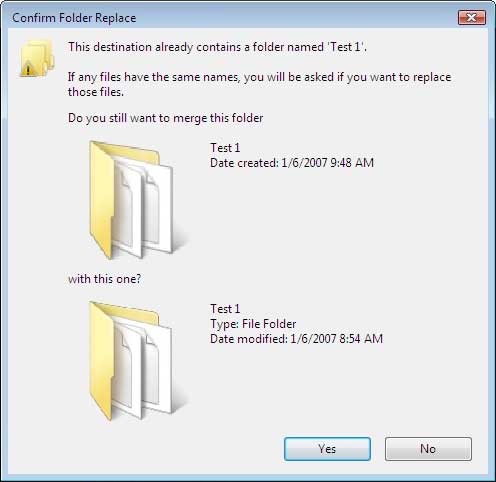
Windows merge folders warning
As promised, it did just that. When it was done, all six files -
three from each of the original folders - were in the single folder
on the desktop, with no lost content.
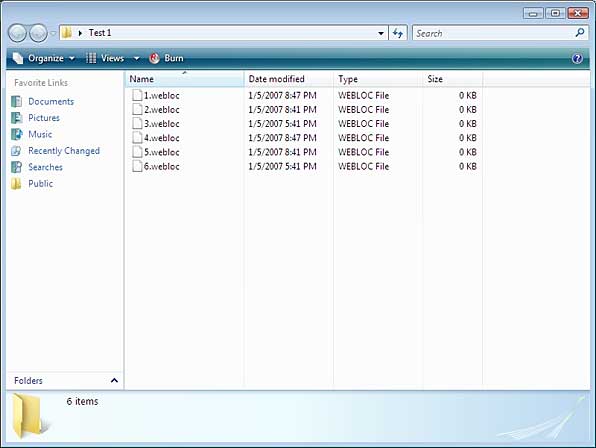
All six files show up in the merged Windows folder
(In fact, there were hidden files with the same name in each
folder - Vista gave me a dialogue box asking me what do to, with
options to keep only the old one, replace it with the new one, or
rename one to eliminate the conflict).
...merging files of different names is much
more sensible than the Mac's habit of making folder content
disappear without a trace.
Die-hard Mac zealots will no doubt point out that the Windows
Vista dialogue boxes are big and clumsy, with pictures that really
don't add any information, and much more wordy than the Mac
equivalents. But as far as I'm concerned, in this situation,
merging files of different names is much more sensible than the
Mac's habit of making folder content disappear without a trace.
This is not just a trivial example: I've lost files this way on
my Mac.
It's easy to point out examples where Microsoft has copied Apple
user interface innovations (often badly). New York Times
columnist David Pogue has posted a hilarious video titled "V for Vista"
comparing Vista and OS X, for instance. But Apple has also
imitated a number of interface ideas that started life in Windows.
Much of Mac OS 8 consisted of bringing features to the Mac
(such as desktop wallpaper) that were popularized in Windows 95,
for example.
With Apple's Mac OS X 10.5 due later this year, maybe the Mac
will finally gain Windows' ability to merge folders rather than
continue to overwrite files.




