WiFi Hotspot Insecurity
Hello Charles,
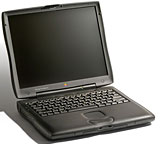 Having recently acquired a WiFi card ($3.99 at a thrift store!)
for my WallStreet
running OS 9, I have followed with interest the discussion about WiFi security. I just thought I'd point
out that for using the internet via WiFi at coffee shops, etc., the
issue is moot, since such connections are insecure by nature. For this
application, users of OS 9 are no more at risk than users of more
recent operating systems.
Having recently acquired a WiFi card ($3.99 at a thrift store!)
for my WallStreet
running OS 9, I have followed with interest the discussion about WiFi security. I just thought I'd point
out that for using the internet via WiFi at coffee shops, etc., the
issue is moot, since such connections are insecure by nature. For this
application, users of OS 9 are no more at risk than users of more
recent operating systems.
Of course, anyone using a WiFi hotspot is very much at risk indeed,
unless proper precautions are taken. David Pogue has a helpful article
on this subject,
How Secure Is Your Wi-Fi Connection?
Keep up the good work, and long live Low End Mac!
Peter
HI Peter,
Thanks for the observations and the Pogue article
link.
That was a super deal on that WiFi card!
Charles
Editor's note: From the Pogue article: "I wanted to
get to the bottom of this Wi-Fi snooping business. I wanted to see
exactly what is, and is not, possible for the bad guys to intercept
when you're sitting there in Starbucks or the hotel lobby." His
findings should get you very concerned about WiFi security, especially
in public settings. dk
iceBook Longevity
From Alan Zisman:
Charles:
I enjoyed today's column
commemorating the 'Dual USB iBook' on its 8th birthday.
I bought
one of the G3/500 models;
it's still in use - I sold it to the wife of a colleague of mine a year
or two ago. No major repairs in its 8 year lifespan.
Along the way, I replaced it with the first of the G4 iBooks (800
MHz), passing the G3/500 on to my daughter . . . the G4
one was more problematic for me - on its AppleCare warranty, it had to
have both the hard drive and keyboard replaced three times! Luckily,
since the warranty is long expired, the last replacements proved the
charm - that one, having gone from me to my daughter, is now sitting at
our out-of-town cottage, where it is happily used by family and
friends. (My daughter moved up to my 12"
PowerBook when I bought an aluminum MacBook - keeping our
Macs in circulation).
Much to my amusement, my son - the family's dyed in the wool Windows
user - announced the other day that he'd bought a Mac - a 1.3 GHz G4 iBook - secondhand
from a friend, making it our family's third iceBook. Ironically, his
Windows laptop died a few days latter - apparently due to a poorly
removed virus infection.
- Alan
Hi Alan,
Glad you enjoyed the column, and thanks for the
comment.
My daughter's 1.2 GHz G4 iBook also proved more
problematic than my 700
MHz G3 unit, with a keyboard failure early on (replaced under
warranty) and a lot of stability flakiness throughout its life (October
2004 to April 2009).
On the other hand, it served her through her final two
years of undergraduate university, was taken on a European tour and a
stint on scholarship at the U. of Freiberg in Germany in the summer of
2005, two years teaching ESL in Japan, and most of her first year of
grad school at Cambridge U. in England, finally expiring last month, so
I suppose it didn't do too badly.
Charles
500 MHz Reliability
From Scott:
Hey Charles,
Have you noticed the original 500 MHz iBook with 8 MB video has
a lot fewer video card solder meltdown issues than the newer, faster
iBooks? I've had a 500 MHz iBook for several years now, and I still use
it every day. The fan has never come on in all the years I've used it.
I currently have my niece's 600 MHz iBook with 16 MB video here, and I
notice the fan comes on every now and then when the ambient air
temperature is warm. I briefly had a 900 MHz iBook with 32 MB
video here, and it ran its fan constantly. I'm gonna go out on a
semi-sturdy limb here and speculate, based on my very unscientific
study, that the slower and cooler the iBook runs, the longer it will
last before the video card melts its solder. Every time an iBook turns
its fan on, it's telling you something important.
Scott Cook
Hi Scott,
I haven't done any scientific surveys, but my
subjective impression concurs with yours that the original 500 MHz dual
USB iBook was the most reliable and robust of all the proliferation of
white iBook models.
I'm not as sure that there is a direct correlation
between fan cycling and failure incidence, although running hot is
never helpful to longevity. OTOH, the 700 MHz G3 was one of the worst
of these models statistically (per the MacInTouch
reader survey), and the fan in mine didn't come on often, although
it would kick in on hot days in the summer under moderate to heavy
processor activity.
I think the main problem with the post-500 MHz models
- both G3 and G4, at least from what I've been able to deduce, was
motherboard/video card issues due to case flexing and solder joint
failure, although excess heat would contribute to that.
I don't think the build quality was as good with the
later models either. My daughter's 1.2 GHz G4 iBook had a very shoddy
appearance, both fit and finish and apparent materials quality than my
"Opaque White" 700 MHz G3 unit, and the 500 MHz and 600 MHz models were
even better in those departments.
Charles
WallStreet Value
From Brian:
Charles,
Great
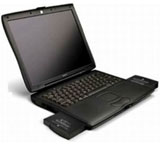
article on the beloved WallStreet G3 PowerBook. Having written my
own WallStreet article for LEM on its tenth anniversary (Maxed Out WallStreet Runs Tiger
Quite Nicely), you could say that I'm still very addicted to my
machine, even though it's no longer in daily use. I just cannot find it
in my heart to sell it or give it away, although I've had many other G3
PowerBooks (Lombards and
Pismos) that I've fixed and given to family members.
By maxing out the WallStreet hardware and software completely and
adding the necessary USB and network cards, one would have a great,
rugged, daily use machine, even if it's not the fastest. The great news
about these wonderful machines is that they can be had very cheaply
these days (average $50 to $100, but most of the time much less - mine
was $10!!!), and there are quite a few resources on the web (such as
Simon Royal's site at http://www.simonroyal.co.uk/) to
help one upgrade it and find the necessary compatible USB and wireless
cards.
For less than $100, one can have a decent performing everyday
notebook that is as rugged as it is useful.
Brian
 Hi Brian,
Thanks! Given its hulking size and weight, the
WallStreet is sort of a contra-netbook in the context of cheap laptops,
but if one is buying on capital cost rather than compactness, there's a
case to be made for the old WallStreet, and they are indeed robust if
one is careful with those hinge clutches.
I'm certainly getting a lot of useful service from our
two old Pismos. I
understand G3 PowerBook addiction.
Charles
WallStreet Nostalgia
From Mark:
I enjoyed reading your article on the variations of the WallStreet.
While Tech Director for a school district, I had a 292 MHz machine that
served me through three years of hard use on the job. I did have the
hinge problem after it was out of warranty, and I chose to live with
it. After I quit to go into private business for a while, I returned to
my old district to do some work and found the old WallStreet sitting on
a shelf. They sold it to me for $25, and I put it to work as the
company I was working for would only furnish me with a Toshiba laptop.
I used every incarnation of OS X through Tiger on it before
selling it about three years ago.
When the hinge became very frustrating, I asked an Apple engineer I
was working some trade shows with if he had a source for replacement
hinges since they were selling for a premium. He surprised me with a
Pismo he had found, which replaced the WallStreet and became my main
computer until replacing it in 2005 with an iBook G4. That WallStreet remains my favorite
computer, and I kind of wish I hadn't sold it a couple of years ago,
though I got much more than $25 for it.
Hi Mark,
I love these old Mac laptop stories. My personal fave
of the PowerBook G3 Series troika is the Pismo, but WallStreet's are
certainly lovable too, especially if you have one with a 14.1" screen.
Mine is a 12.1" 800 x 600, which is a bit cramped for Web work these
days. However, my daughter tells me that Firefox works well on it under
Mac OS X 10.4 Tiger.
Charles
Go to Charles Moore's Mailbag index.



