iBook G3 Should Be a 'Road Apple'
Dan,
I would like to nominate every G3 iBook as a Road Apple. No
matter what speed the processor is they have a terrible record of
needing repairs. See the following link: <http://www.macintouch.com/reliability/laptops.html>
I just acquired one last week & after troubleshooting it I
discovered the symptoms of the bad motherboard. Further research on
the Web led me to the MacInTouch Reliability link above. 36% to 50%
to as high as 73%, depending on which model you choose, needed
repairs at some time during the first 3 years of life. That's just
unacceptably high.
Thanks for listening.
John R.
John,
Thanks for writing. My ex had a 14" 600 MHz G3
iBook, and I know it went in 2-3 times under AppleCare to have the
keyboard replaced because the printed letters kept wearing off. A
13-55% repair rate for the motherboard is unacceptable. I'll be
sure to link this report in our dual USB iBook profiles.
As far as a Road Apple rating, I'll need to give
it some thought. For the most part, Road Apples have been Macs that
were less than they could have been - a 32-bit CPU on a 16-bit bus,
an arbitrary 10 MB memory ceiling, an underclocked processor so as
not to compete with another model.
But there is one Road Apple, the Apple Adjustable Keyboard, that
got on the list primarily because it was so unreliable. Since even
the best of the dual USB G3 iBooks had a 49% repair rate in the
MacInTouch report, I think the entire line will probably get the
label.
Dan
A Mac for the Workplace
Mike Perry follows up on Apple's Inadequate Lineup:
Dan,
Yes, I've notice that my Mac mini's actually slightly faster
using an external, full-sized FireWire drive than it was with the
now defunct internal drive. That's the silver lining behind this
failure.
You got it right. Steve's great for choosing what's best at the
consumer level, but I'm not so sure he understands work-a-day
computers that well. What people need for eight hours at work isn't
what they need for relaxing at home. Work is often repetitive, so a
multi-button mouse makes more sense. And offices are noisy, so
driving computer noise level below a certain point makes no
difference. I work on a busy street, so I can't tell the difference
between a laptop drive and a full-sized one.
I'd be delighted if Apple announced a more mini-tower or Mac
Cube-like Mac mini replacement next week, but it's not getting
mentioned by rumor sites, so I suspect we're far more likely to see
a new iMac.
On the other hand, Steve does like to surprise.
- Mike Perry
Hard Drive Warranties May Outlast Computer
Warranties
A few minutes later, Mike emailed again:
Dan,
You might want to mention to your frugal readers that hard drive
warranties can outlast Apple warranties. I got my Mac mini over two
years ago, so the Apple warranty expired long ago. But Toshiba just
agreed to honor the 3-year warranty on the hard drive. Just keep in
mind that the warranty clock starts clicking either when it is made
or when it was sold to Apple, so it's not quite three years from
the Mac user's date of purchase.
- Mike
Re: Mac mini Dock System
Trevor Howard follows up on How
About a Mac mini Dock System?
Dan,
Yes! I actually do remember those as well as have read about
some of the other computers that used similar ideas (I believe
Amiga did something like that as well, and even the IBM PC had the
expansion box that added extra slots), and I took inspiration from
the old Sega CD and the expansion ports on other gaming consoles
. . . and didn't the PowerBook Duo slot into a sort of
expansion bay when at home to increase its capabilities?
 Oh, and there's those really cool LaCie
Lego™ drives, which are exactly what they sound like
(although they only stack like Lego bricks and still require
separate power, it's still really cool)
Oh, and there's those really cool LaCie
Lego™ drives, which are exactly what they sound like
(although they only stack like Lego bricks and still require
separate power, it's still really cool)
That would work easily just as well, an iPod dock wouldn't be a
bad idea at all (well, an iPod/iPhone dock) and would fit with what
I always placed the mini as in my mind - a small compact home
theater computer, or a computer for the bedroom. Maybe have a
connector on top and one on the bottom: Top one for the expansion
cards (which should have a beefy, yet wonderful, Apple fan in it to
keep it cool and relatively silent) and the bottom one for
drives
I'd also say that the expansion connectors should be heavily
based on PCIe and be fairly standard connectors with a minimum of
proprietary technology (while the thought of a MagSafe docking idea
for the modules sounds awesome, I think it would be expensive, and
the magnetic field required would not be good for the hard drives).
This would lower costs and simplify, the modules basically
providing daughterboards and chips to provide the necessary
interfaces for whatever is inside (except the expansion "box" which
would just act as a sorta riser for the PCIe connectors).
If they licensed out the connector I'd see a PVR module being
one of the first things they made, especially with the popularity
of the EyeTV and such, and I'd love to see it include a dedicated
TV output port (until I got a TV that supported VGA input, I went
through two of the little DVI to S-video converter buggers - they
were not the most robust little converters sadly) or we'd start
seeing some PCIe TV Tuners at least. (I'm sadly a person iffy about
USB: FireWire is fine, but USB always made me a bit squeamish for
some reason.)
Another idea would be to integrate an iPod display on the front
of the mini (or offer it as an expansion option, or on the front of
the drive enclosure) to help facilitate its use as a Home Theater
Computer (something I felt the Apple TV was sorely missing, in case
you, say, wanted to use it on an audio system with no TV, or didn't
want to leave your TV powered on to play music) or maybe sell a
WiFi/infrared/RF-based super Apple Remote complete with an almost
iPhone-like interface and programmability (a competitor to
Logitech's Harmony remotes, which pretty much are unchallenged
right about now to my knowledge).
Beefing up the power supply I don't think would be a large
hurdle; I'm not sure on the specifics but I'd imagine the Xbox 360
has a fairly beefy power supply driving it (it is essentially my G5
on steroids at its heart, and my G5 has a 700 watt power supply),
and its brick is not much bigger than the mini's. Given the Core 2
Duo series chips all use a bit less power than the G5s, even a
fairly powerful graphics card with a few extra hard drives would
probably not tip power consumption over 500 watts or so.
One big wish of mine would be for Apple to take and make the
power supply double as a UPS, at the very least for the mini, where
such a thing would be easy (at least offer it as an option!).
Trevor
More good thoughts, Trevor, especially about a
TV/PVR module. I'd love a TiVo, but not the monthly fee. I'm
tempted by Comcast's DVR, but that would add $14-15 a month to my
cable bill (I'd have to upgrade to digital cable to use the DVR).
Alas, Steve Jobs seems to despise television - although he's more
than happy to sell TV episodes on the iTunes Store. Go figure!
Let's hope Jobs surprises us with something as
flexible as you're proposing at next week's meeting.
Dan
G4 Upgrade for a G3 iMac
Richard Willis writes:
Dan,
I read your article regarding upgrading early Macs. In it you
mentioned the Sonnet upgrade to 600 MHz w/FireWire. As you said it
is kind of pricey. What do you think of
the XLR8 upgrade to 400 MHz G4 for $99. I read about it today
and thought it might be a spoof. It sounds to good to be true.
Thanks
Rich Willis
Rich,
For $99, it will give your iMac a new lease on
life, assuming you're running OS X. If you're still using OS 8-9,
you'll see some benefit, but not nearly as much, as the classic Mac
OS and most classic apps don't use AltiVec.
Dan
Dan,
Last week I asked about the XLR8 upgrade for G3 iMacs. Well I
decided to get it, since I already have an iMac G3/333 MHz
strawberry system. It already has been upgraded to 20 GB hard
drive, and 256 MB of RAM had been added. The OS had been upgraded
to OS X 10.2.8.
The new processor was not expensive ($99), and I took a chance
and added another 256 MB RAM. The installation was not difficult,
and the included instructions are well written. They include a
straight slot screwdriver, but you also need a Phillips head
screwdriver. I followed the instructions and pushing, pulling, and
shaking got everything back in place and screwed together. Turned
it on, and presto chango - I now have a 400 MHz strawberry G4 iMac.
At least for now.
It does seem to run hot, according to their performance
software, but it is noticeably quicker. Firefox is snappy, and the
whole purpose was to use it in my classroom as a student Internet
access computer. Thanks for your input.
Sincerely,
Richard Willis
Thanks for the feedback, Richard. I'm sure others
with tray-loading iMacs will be happy to learn how nicely this
upgrade works.
Dan
Running a Lombard from Compact Flash
Jake Wertz wonders:
Hello,
First off, I thoroughly enjoy your website. I just finished
reading your article on using a CF
card to run OS 9 on a laptop, and I'm very excited to give
it a try. In the interest of noise-free computing, does the
Lombard have a particularly loud
cooling system? If so, would a PowerBook
3400 be a better choice?
Thank you very much for your time and for all the information @
LEM. Have a great weekend!
Jake W.
Jake,
Thanks for reading Low End Mac - and for writing.
Unfortunately, the only PowerPC PowerBooks I own are 1400s. I have
no experience with 3400s and have not touched a Lombard since early
2001, so I can't even suggest how their cooling systems compare.
Perhaps some readers can share their experiences.
That said, hard drives are a big source of heat,
so switching to Compact Flash should reduce the need for the
cooling system to kick in.
Dan
Even Easier Window Captures in OS X
Micah Bly says:
Hi,
LEM regular reader. Just wanted to say I read the article on screen
captures and wanted to recommend to you and your users another
way to accomplish clean screen shots, one that requires no extra
software. Just do Cmd-Shift-4, hit spacebar (the pointer will turn
into a camera at that point), move the mouse over the window you
want to shoot (it will be highlighted in blue), and click the
button when you have the right screen shot. It will capture
just the window. No need to trim after that!
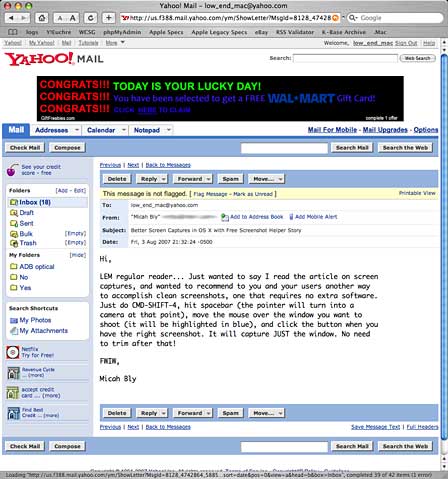
Capture just one window with Cmd-Shift-4, the spacebar, and a
click.
FWIW,
Micah Bly
Micah,
Thanks for the tip. I think the windows look nicer
with their shadows, but this is definitely fast and easy.
Dan
Touchscreen LCD for a G3 iMac?
Bob in Phoenix writes:
I was searching for information on the possibility of running an
LCD touchscreen on a G3 iMac and came across your wonderful Low End
Mac site. Have you heard of anyone that's tried or succeeded at
such an endeavor?
I've got several old G3s lying around and I'd like to try to
employ them as simple iTunes 'kiosk' controllers for various
stereos around my home. Any leads/suggestions appreciated!
Bob in Phoenix
Bob,
I haven't heard of anyone trying such a hack.
You'd need a display with a VGA video connector plus USB and Mac
driver support for the touchscreen. If you can find a Mac
compatible display, I don't see any reason it wouldn't be
possible.
Maybe a reader who has tried such a hack will
write in....
Dan
Dan Knight has been publishing Low
End Mac since April 1997. Mailbag columns come from email responses to his Mac Musings, Mac Daniel, Online Tech Journal, and other columns on the site.



