This is the mailbag column I was working on last Thursday morning
when my hard drive developed problems. (Details on that in A damaged hard drive can ruin your whole day -
hooray for backups!) dk
Sticking with the Mac or Switching to Windows?
In response to Jaguar Today, Panther
Tomorrow, and Another Slap in the Face?, Randy Marshall writes:
I enjoyed your article, and especially the content about the
widening gap between Mac OS 9 and Mac OS X users.
As one of the people who develop for Mac and who has been severely
betrayed by Apple and their lack of ethics, I am definitely on the
fence about where I will go personally in my computing future. Apple
has proven to me that they are the most unethical company that has ever
existed. (They are far worse than even Enron)
Setting that issue aside for this post to you, I am not sure if I
will upgrade to this next version of Mac OS X (I am using 10.2 on
my editing system and feel it is the worst OS product I have ever used
- even worse than the Windows 3.1 on an old Wintel machine I had).
My next computer purchase will probably be a portable, and though
Apple still makes nice portables, because they treat users like dirt, I
just do not know if I will be able to give them any more of my money.
Add to this that I have been actively playing with and learning Windows
XP - and that Windows XP is a far more robust and universal product
than OS X - I am given pause to consider what path will best suit
me in my own computing future.
Are you going to stick with Apple in your future computing
purchases?
If so, why, if not, why?
Do you have any more thoughts on the subject base on your own
personal experiences?
Yes, I'm going to stick with Apple. As much as OS X has slowed
me down in comparison to OS 9, at least I know my way around.
Despite Aqua being a very different looking interface, I can see drives
on my desktop and drag files between folders.
At my other job we use Windows computers. I wanted to copy a file from
a CD to a floppy for a customer. The only way I could figure out how to
do it was to find the JPEG file, open it from the CD, and then save it
to his floppy.
I'm sure seasoned Windows users would laugh at me - there has to be a
better way - but that's the kind of disorientation Mac users find when
going to Windows. Linux may be better with the right interface, but
either way, if I switch I lose all the Mac software that I depend upon
for my work.
Bad as Apple can be, it's not as bad as the Beast of Redmond with their
insecure computing tradition, abundant selection of worms and viruses,
coercive licensing policies, and other monopolistic practices.
From all I've heard Windows XP is pretty solid, but it's still a
Microsoft product. That's one monopoly I try not to support.
No Upgrade for Me
Eric Cohen writes:
Great article Dan.
I personally will not be upgrading. I own 3 copies of 10.2 (we
upgraded all our systems at home this year, two new iBooks and a new
TiBook). We will not go to 10.3 at all unless there is a significant
discount.
Yellow Dog
Linux was my mainstay on my WallStreet, and the continued
"bleed your customer's dry" attitude of Apple will send me back to
Yellow Dog before you can say "Pay me another $129 to keep
playing."
Angry About OS X
Tony Torres shares his thoughts:
I couldn't agree more. Personally, I've had enough of Apple and
OS X. My Jaguar system recently started locking up regularly and
having problems such as the clock, volume control, and display menu not
showing up in the Menu bar after rebooting and not returning even when
you turned them back on in system preferences.
I attempted to reinstall 10.2 from my install CD with the intention
of doing an archive and install option so I could start over but
gradually transfer my old stuff over. At the time I was running
10.2.4.
Well, when I attempted to reinstall the installer informed me that I
could not install it because I had a newer version of OS X on my
system. I see no reason why it couldn't have offered me the option of
an archive and install option even if I couldn't install 10.2 over
10.2.4. So I'm basically faced with the task of reinstalling 10.1 from
my retail CD and then using my 10.2 CD to install it (it's an upgrade
CD).
I've decided to say screw you to Apple and OS X. After Apple's
inability to keep up with even bus speeds of PCs lately, their .mac
screw-the-supportive-fans strategy, and the lack of an upgrade price
for 10.2, I was seriously considering even returning to Windows (I'm a
former Windows user), but after observing several friends have problems
I used to encounter and have never encountered on my Mac, I dropped
that idea.
Ironically, surfing the Web using Opera on Windows 2000 in VirtualPC
6 in OS 9 is faster than every browser in OS X
(including Safari and Chimera) on my B&W G3 upgraded to a G4/550.
I've returned to OS 9.2.2, and that is where I'll stay for the time
being.
When it comes time for me to get a new computer, I will then return
to OS X and probably only then. I hope that by the time I
return to OS X Apple will have made it as easy to repair/reinstall
an OS X install as it is to restore/repair/reinstall a Classic Mac
OS install.
Sorry for the angry tone of my letter.
No need to apologize. As I mentioned in Wednesday's mailbag, Apple has become an
expert at alienating their customers. The mock funeral for OS 9
was an unnecessary insult to the millions of Mac users who haven't yet
migrated to OS X.
OS X has a lot going for it - Unix stability topping the list - but it
also has its share of problems. It's slow. It's bloated. It's slow.
It's got a slow GUI. It's slow. It's a resource hog. And, in case I
hadn't mentioned it, it's slow.
This is the same kind of bloat Microsoft has been adding to Windows to
get people to keep buying newer, faster computers with newer, more
costly versions of Windows installed, so they can then add newer, most
costly, more bloated versions of Microsoft Office.
Looking at OS X and the abominably slow performance of Apple's Mail
application (which I now use for four of my email accounts), I'm
appalled. Safari is a fast, competent browser. AppleWorks isn't as
speedy as it used to be before version 5 and before OS X, but it's
adequate. My X-native version of TextSoap is much slower than the
classic version.
Fortunately, I do a lot of my work in classic applications - Claris
Emailer, Claris Home Page, BBEdit Lite 4.6, Photoshop 5.5, WebChecker,
and Mizer among them - so OS X doesn't slow me down too much, and
Safari seems as fast a browser as any I've used on the Mac.
Still, for the first time since System 7.0, Apple has created an
operating system that's barely usable on the oldest supported hardware.
It has to get better; I don't plan on replacing my 400 MHz TiBook for another
year.
Upgrade Pricing Pattern
Sam Griffith Jr. writes:
The topic of upgrades vs. new feature rich versions of the OS is
discuss in great detail on Slashdot in the Apple section. I've included
a link for you to look at that may help you appreciate that Apple is
being consistent with past upgrade pricing and approaches.
http://apple.slashdot.org/comments.pl?sid=58150&cid=5582051
I hope this link is informative and may help with your feelings
about paying for upgrades.
I myself buy the upgrades and think of it as a approximately $10 a
month charge that I'm paying. I liken it to what I pay for my phone
service (which is more than $10 a month) and think that I get a greater
value for the dollar with my OS than with the phone as a whole, the
computer gets more use than the phone. I also know that this money goes
to fund/buy companies that will help Apple grow in installed base and
in new areas and also continue to be able to develop very nice software
for us users like iMovie, etc.
Mostly, though, I think of it like the phone, cable, sewer, etc. I'm
paying for a monthly service and each year I get new features added on
if I want to continue with upgrades to my service, and if not, then I
can continue to use at no additional cost to me my old service features
indefinitely.
Thanks for the site and your opinion. I hope my thought may sway you
in thinking that we are really getting a pretty good value for our
dollar.
The Slashdot articles show a fairly consistent pattern of Apple
charging for one upgrade and making the next free, something covered in
yesterday's mailbag. Then again, Apple had a pattern of not charging
for OS updates until System 7.1 arrived, so we can't depend on past
patterns predicting future behavior.
Pattern is not policy, and Apple has never stated what their free vs.
fee update policy will be in the future. We can assume incremental
updates (10.2.3 to 10.2.4) will be free, but beyond that it's
speculation whether Apple will charge for Panther or offer it for
free.
I like the way you frame this as a $10 a month charge. Put in that
perspective, it seems more reasonable than having to fork out $129 all
at once - then again, Apple doesn't let you pay for OS X in
installments.
It's the Cost
J. M. Dennis writes:
I agree with your article about Panther. I have not upgraded to
Jaguar because of the cost. I paid for the beta, and when it came out,
I paid for version 10. I then paid for 10.1, and like you I would like
to do a clean install.
I would have bought Jaguar if they did not expect me to pay the full
price for it. I should not have to pay any thing for point increases. I
have a Rev B iMac and a
WallStreet, so I
will not be upgraded beyond a certain point.
Sure I would like to upgrade, but I do not have the money, and I do
not like having to pay full price for software.
I wonder how many people are thinking of switching to Windows
because of this. As Windows gets better and machines on the Windows
side get cheaper, then why should people stay. I have even thought
about putting Linux on my machines as that would speed things up, and I
could download and burn my own CD.
OS X runs fine on my machine, but I know that with each update
it will get slower.
I also do not like the fact that I can not use the full hard drive I
have because the ROM does not support it. You think that Apple would do
something about this for those of us that have older Macs that want to
run OS X. I realize that I can partition my hard drive, but I
would rather just use my whole hard drive without having to
partition.
As things get more and more expensive to run Macs, I will think
about switching. I will just switch to Linux, as I do not plan on
buying a Windows machine like some former Mac users I know have
done.
My last big Apple purchase was a $2,600 TiBook two years ago. At
the time, I had no idea how the dot-com collapse would impact Low End
Mac. I already had the OS X beta, but I still had to buy 10.0 when
it came out. The only reason we have three OS X licenses at home
today is that my wife's 14" iBook came with it preinstalled, a local
dealer was kind enough to donate a copy of the 10.1 update, and a
member of one of my mailing lists gave me the Jaguar update he no
longer needed after buying a new Mac.
It's unfortunate that your Macs date from the transitional period to
the NewWorld ROMs and require to you create an 8 MB partition on
your hard drives if you want to run OS X. I don't understand why a
problem that didn't exist with the classic Mac OS manifested itself
under OS X and requires this type of partitioning on beige G3s,
WallStreets, and early G3 iMacs, but I'm also sure that if Apple could
solve the problem, they would have done so by now.
As for OS X getting slower with each update, I think Apple is managing
to do just the opposite and improve the efficiency of the OS with each
major revision. Jaguar is tolerable on my 400 MHz TiBook, but I was
never able to live with OS 10.1.5 and earlier for more than a day or
two.
I'd hate to switch, since I have so much time invested in mastering the
Mac software I use. But I don't expect to be able to jump on the next
OS X upgrade right away, either.
What 10.2 Update CD?
From another email from Doug Petrosky:
You also, mentioned a 10.2 update? How or where did you get such a
thing? The fact that 10.2 is a purchased upgrade means it is a full
installer.
As for the 10.2 update CD, that's what Apple sold to those who had
purchased a Mac or a copy of OS X 10.1.x within a certain date
range prior to Jaguar shipping. It is not a full installer; it only
works if OS X is already installed on your hard drive, and it's
currently available from some online vendors. Jeff Adkins covered this
territory in Problems Upgrading to 10.1 to
Jaguar last November.
Best OS for Kanga
On a completely different topic (whew!), Andrew Main writes:
I had a PB 3500 for about
a year, and liked it quite a lot. However, the larger display of the
later G3s seduced me away 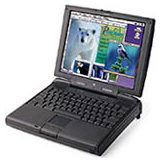 (my next PB
was a Lombard, and now a
Pismo running
OS X). I would consider the display size/resolution of the 3500
its major drawback - too small for comfortable Web viewing or page
layout, limiting its best use nowadays to a very fast word
processor.
(my next PB
was a Lombard, and now a
Pismo running
OS X). I would consider the display size/resolution of the 3500
its major drawback - too small for comfortable Web viewing or page
layout, limiting its best use nowadays to a very fast word
processor.
I've never seen the point of putting the newest software possible on
a computer, which strains its capabilities; any model will be most
satisfactory in performance when it has plenty of headroom above what
it's commonly asked to do. The 3500 came originally with 8.0 (I still
have the CD); so OS 8.1 would seem best for the 3500, 8.6 at the max.
I'd put ClarisWorks 4 or 5 on it to provide not only word processing
but a good suite of other capabilities.
As for memory, the 3500/Kanga can use the same RAM cards as the
3400, which shouldn't be impossible to find used. However, there was an
odd limitation - some (not all, but I don't know any way to tell other
than trying them) 3400 RAM cards above 32 MB (e.g. 64 MB) would be seen
by the 3500 as only 32 MB. (When I had my 3500, I found a 96 MB
3500-specific card, very rare, that gave me 128 MB total.)
Anyway, it should be possible to find a 3400-type 32 MB RAM card to
put in a Kanga, giving it 64 MB total, about all that should be
necessary for what that model is now good for.
I've never used a Kanga, and different readers are telling me
different things about which OS is best on it. That's fine - we're Mac
users, we don't all have to be on the same page. Fortunately most older
Mac software isn't very picky about what OS it works with, so I'm still
using programs from years and years ago on my TiBook.
I don't know what the market is for pulled PowerBook memory, but I
suspect it's not large. As noted on
Tuesday, Other World Computing has 128 MB modules available for a
reasonable US$70 plus shipping, which will max out original PowerBook
G3 very nicely.
Beige G3 Slaves, OS X on a
C600
Terry O'Leary
I have two bits of news on older Power Macs. The first concerns
beige G3s, and the second is about a clone (Umax C600) of the Power Mac
6400.
After much frustrating experimentation, I postulate that beige G3s can boot off of their
slave ATA drives (if they have Rev. B ROM or later) in pre-OS X, but
not in OS X. My experience with two beige G3s (non-Rev. A) is
consistent with this hypothesis. How un-Mac-ish! Gone are the days when
an address is just an address.
On a lark I tried installing an additional (slave [drive]) in my
Umax C600. This machine has been
running OS X.2.3 for quite some time, thanks to Ryan Rempel's XPostFacto.
This clone is fortunate to have a ZIF slot in which I have put a
Mactell 280 MHz. G3 with 1 MB L2 cache, and hence it can run
Jaguar with pre-3.0 XPostFacto. Anyway, much like a beige G3 Rev. A,
when you boot off X on a master drive, you can work with your slave
drive.
I will end this note with an open query. I wonder whether it is
possible to increase the utility of slave drives on these machines via
open firmware. Perhaps someone more technically adept than moi can will
answer this.
The ability to boot from a slave drive is one of the benefits of
the Rev. B and Rev. C ROMs in the beige G3. This is nothing unusual;
it's only the Rev. A ROM that doesn't support booting from a slave
drive using the classic Mac OS.
Considering the slow 40 MHz system bus, so-so video, and severe memory
limitations (144 MB maximum) of the SuperMac C600, I wouldn't have
considered it a good candidate for OS X. Congratulations on
acquiring one of those fairly rare Mactell G3 upgrades and getting
OS X running on this vintage machine.
I don't know enough about open firmware to answer your question. Maybe
some of the hardware gurus who visit Low End Mac can shed some light on
it.
More on Kanga
Steve Lenius writes:
I read Low End Mac every day and
occasionally write to you.
I am the proud owner of a Kanga (3500) PowerBook that I bought
new when they first came out. I am still quite happily using it and it
has never skipped a beat. I recently upgraded the 5-meg hard drive to a
40 meg 5400 rpm drive from Googlegear - best $132 I ever spent - and
feel like I've gotten a new machine. It's eerily silent and seems much,
much faster. I would recommend it to anyone with the original hard
drive still in their Kanga.
When I bought it, I upgraded it to 96 megs of RAM (32 onboard plus
64 module), thinking that would be enough. And it was for awhile, but
when I put OS 9.1 on it, things started to get a bit cramped, and I had
to turn virtual memory back on.
With the new hard drive I don't notice any slowdown at all, but I
still wonder if I should max out the memory while it's still available.
When I saw that Other World Computing had 128 meg modules for $69.95, I
almost jumped at it. But then I thought, what about using a Compact
Flash card in one of the PCMCIA slots and having virtual memory swap to
that?
Then I realized that if I did that I might be able to get a lot more
than just 160 megs into the machine. And that way I wouldn't have to
throw away the 64-meg module that's in the machine now.
Would this work? Would it work well? Would it be better than buying
a stock 128 meg RAM module?
The only downside I can think of it that certain programs don't run
with virtual memory turned on (such as Spin Doctor), and certain
others, like Photoshop, would rather use their own memory manager.
I'd be interested in any thoughts you, your other contributors, or
your readers might have.
Thanks again for a great Mac resource!
Yes, a fast, quiet hard drive can make a world of difference. I
love the IBM TravelStar 40GNX in my TiBook, although it caused me
no end of trouble last week.
It's fast. It's quiet. It gave me
breathing room for my files. I'd recommend a 5400 rpm hard drive with a
big data buffer to anyone who is running out of drive space on their
laptop.
Apple's technical
specs for Kanga don't state how fast the hard drive bus is,
only that it's an ATA interface. (For a brief introduction to ATA, IDE,
and related terms, see ATA, IDE,
EIDE and ATAPI Defined in Apple's Knowledge Base.) Without that
information, I'll assume it's the same 16.67 MB/sec. drive bus used in
the Power Mac G3.
The next question is how fast is the PCMCIA slot? Short answer: It
depends. There are several different types of throughput standards:
- The original PCMCIA specification has a theoretical maximum
throughput of 7.84 MB/sec.
- The later PC Card specification adds a faster mode that supports 20
MB/sec.
- CardBus adopts a faster, wider bus and supports up to 132
MB/sec.
These are theoretical maximums, and the same is true of the
throughput numbers for the hard drive bus. As an interesting aside, the
PC card standards are related to the ATA standards.
Kanga supports the PC Card standard, which has a maximum throughput of
20 MB/sec. That's higher than the 16.67 MB/sec. ATA bus that the
computer probably has. So using a Compact Flash card in a PC Card
adapter could be faster.
That raises the final question: How fast is Compact Flash in comparison
to your hard drive? Again, we have to say "It depends." Some CF cards
are slow, and some are fast, just as some drives are slow and others
fast.
I can't give you a definitive answer, but I suspect that even today's
fast CF cards are probably slower than your hard drive. We're making a
lot of guesses and conjectures here, but I'd lean toward the $70 memory
upgrade and turning off VM as your first plan of attack. If that's
still inadequate, then look into a 256 MB or larger Compact Flash card
(as low as $60 these days) plus a PC Card adapter (under $15).
Maybe someone using CF can shed more light on throughput speeds.
Apple and Intel
After reading Apple Going Intel?,
Ed Hurtley comments:
Okay, first, Intel VP Paul Ottelini was sitting at the front row of
the most recent Macworld. And Steve Jobs gave the keynote at Intel's
Channel Sales Conference a few weeks later. That sales conference is
headed by Intel VP Paul Ottelini.
I used to work for Intel (for the division Ottelini runs) and still
have friends there. One attended the conference and was floored at the
appearance of Jobs. So he did a little digging. His boss reports
directly to Ottelini and said that Ottelini and Jobs have been friends
for years. They did this out of friendship, rather than because of any
specific business relationship. My friend's boss also said that
Ottelini has a wicked sense of humor (as we also know Jobs does), so it
would be very likely that the two agreed to appear at each other's
conferences just for rumor value.
I somehow wouldn't put it past Jobs to do something like this both
for the shock value and to throw off the rumor sites. Switching the Mac
to Pentium processors just doesn't make any kind of sense at all. (Mac
OS X Server on Itanium could be an altogether different
story.)
Jaguar Clean Install from Upgrade CD
Several readers explained that it should be possible to turn the
Jaguar Upgrade CD (Part Number 2Z691-3854-A) into a full install CD by
removing a single resource from one of the packages - just like with
the 10.1 Upgrade CD.
I'm burning a disc to test this theory and will report back.
Dan Knight has been publishing Low
End Mac since April 1997. Mailbag columns come from email responses to his Mac Musings, Mac Daniel, Online Tech Journal, and other columns on the site.



