My Performa, Take No. 2
[an error occurred while processing this directive] - September 2000 - Tip Jar
Low End Mac Reader Specials
TypeStyler For Mac OS X is Now Shipping! Download The Free Fully Functional 60 Day Tryout at www.typestyler.com
OWC: Mercury On-The-Go FW800+USB2 up to 1.0TB. Bus Powered, no external power supply needed. Macworld Editors Choice, CNET Very Good Starting from $99.97, 500GB $159.99. Click here
Don't install Parallels to play poker online! Poker Mac will show you how
to download and install a native Mac poker application such as Full
Tilt Poker Mac.
Laptop Hardware Provided by TechRestore - Overnight Mac & iPod Repairs.
Compare products like desktop computers, apple laptops, apple macs, and LCD Monitors side by side! All the information and reviews to make the best purchasing decision for new mobile phones, sat nav systems, or MP3 players. The Ciao online shopping community makes searching products easy for you.
Don't touch that mouse! It's My Performa at the Movies, Take No. 2. Movie camera. Action. Take 3!
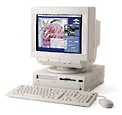
Hey, where's the popcorn! It's time for the
movies with my Performa!
That's right. My Performa, with the QuickCam and the Apple TV Tuner/Video hardware and associated software installed, is a virtual recording studio. Digital movie making and recording was possible on Macs for many years prior to iMovies on iMacs and iBooks. Yes, movies, with a small "m," compared to an iMovie. Movies nonetheless; QuickTime movies to boot.
Mix together some creativity, patience, practice, and the necessary hardware and software, and a movie can be created and captured on your Mac, and then transferred to video tape before your eyes. Several items are required to create a movie on your Mac: digitizing hardware, a source to capture video to and from, software players, and software editors.
- (Before I start, there is a secret of mine to share. The reason why I bought my Performa was Apple's marketing campaign promoting the Quadra 630 series multimedia prowess. I thought neat, the this could be a lot of fun. Well, I can say Apple delivered with my Performa!)
Back to the story: to make a movie you have to have the hardware to digitize video and then the source to capture video. The Mac for your digital studio either must have built-in circuitry, an optional Apple TV Tuner/Video Card, a third party digitizing video card, and/or a peripheral that connects through your Mac's modem or printer port.
If you have an Audio/Visual (AV) Mac, whether 68K or Power PC, your Mac has built-in digitizing circuitry. The Quadra 660AV or 840AV Macs come to mind immediately as Macs with digitizing circuitry built-in. Other AV models include the Power Mac 6100, 7100, and 8100 AV models. There are other Power PC models, such as the 8500, that came equipped with built-in digitizing circuitry as well.
Other Macs however come with digitizing circuitry, but require installation of an optional Apple TV Tuner/Video card. Macs in this category are the Quadra 630 series, such as my Performa, or the 6200 and 6300 series Power Macs.
If you don't have a Mac with digitizing circuitry, digitizing capability can be added by installing a video card into an expansion slot. By the way, this is the only way to get video capability for some 68K through G3 Macs. Last, but not least, is to add a third party peripheral such as Connectix QuickCam camera. This device provides digital movie making capability by connecting to your Macs motherboard through the Macs modem or printer serial ports.
The other half of the hardware equation is the source from which to capture video. The source of video can be TV, which can be captured built-in your computer if you have a Apple TV Tuner or third party video card installed. Another source is connecting your TV, VCR, video camera or other video devices that have video out put jacks to the RCA port or video input port on your Mac. The last source for video is through a third party peripheral device, such as a Connectix QuickCam that connects through the Macs serial port.
Next week: Act 02. Software and Movies.

Links for the Day
- Mac of the Day: 15" MacBook Pro Core Duo, Jan. 2006 - The first Intel-based MacBook launched at 1.83-2.0 GHz, had several teething problems.
- Group of the Day: System 6 is the email list for those who choose System 6.
- Support Low End Mac
Recent Content
- Apple's Tablet an End Run Beyond Netbooks, Frank Fox, Stop the Noiz, 11.20. Whatever Apple has planned will leverage existing technologies while going beyond what its competitors can offer.
- i5 iMac Benchmarked, Mac mini 'Shouldn't Be Overlooked', Twitter Client for Classic Mac OS, and More, Mac News Review, 11.20. Also why Apple leaves the low end to others, 10.6.2 fixes video playback problem in 27" iMac, 3D Leopard and Snow Leopard performance, and more.
- NASA Chemical Sensor for iPhone, Smartphone Death Match, iPhone Earrings, and More, Ian R Campbell, 11.20. Also mobile phone dangers, new apps, GPS solution for iPod touch, new iPod and iPhone cases, and more.
- Apple #4 in Reliability, Apple Tablet a Gadget for All?, HP's i7 Notebook Outdoes Mac Rivals, and More, The 'Book Review, 11.20. Also Flash 10.1 improves video on Hackintosh netbooks, thin-and-light notebooks impress, Windows XP finally on the way out, and more.
- Replacing the Hard Drive in a Clamshell iBook, John Hatchett, Recycled Computing, 11.19. Yes, it is one of the most difficult Apple notebooks to disassemble and reassemble, but a 10 GB hard drive just will not do.
- IBM Model F: A Great Old Keyboard with an Outdated Layout, Tommy Thomas, Welcome to Macintosh, 11.19. Although it used a different technology than the revered IBM Model M keyboard, the Model F was a great keyboard in its own right.
- Soft Touch Keyboards, Wireless Mouse Options, Loving SeaMonkey 2, and More, Charles W. Moore, Miscellaneous Ramblings, 11.18. Also the future of browsing with PowerPC Macs and the multiple mouse input bug introduced with OS X 10.5.8.
- More links in our archive.
Recent Deals
- Best eMac Deals, 11.18. Used 1 GHz Combo, $100; SuperDrive, $269; 1.25 GHz Combo, $119; SD, $319; 1.42 GHz Combo, $289; SD, $498.
- Best Mac OS X 10.6 and Mac Box Set Deals, 11.18. "Snow Leopard", single user, $25; 5 users, $45; Mac Box Set, single user, $139; 5 users, $180; Server, $414. Shipping included.
- Best Xserve Deals, 11.18. Used 1 GHz dual G4, $649; 2.3 dual G5, $795; 3.0 4-core Xeon, $1,899; refurb 2.26 4-core, $2,499; new, $2,888; refurb 8-core, $2,999; new, $3,449; more.
- Best 15" MacBook Pro Deals, 11.17. Used 1.83 GHz, $750; 2.16, $800; 2.33, $900; refurb 2.4, $1,299; 2.53, $1,449; 2.66, $1,699; 2.8, $1,899; new 2.53, $1,579; 2.66, $1,799; more.
- Best Power Mac G4 and AGP Video Card Deals, 11.17. Used 400 MHz, $50; 933 MHz, $80; 500 dual, $60; 867 dual, $90; 1 GHz dual, $150; 1.25 GHz dual, $225; 1.42 GHz, $499.
- Best Mac OS X 10.5 Deals, 11.17. "Leopard" upgrade, $80; single user license, $135; 5 users, $173; Mac Box Set, 5 users, $230; Server, 10 users, $340; unlimited, $850. Shipping included.
- Best Mac mini Deals, 11.16. Used 1.42 GHz G4 mini, $379; 1.66 GHz Core Solo, $419; 2.0 Core 2, $450; new 2.26 GHz nVidia, $580; 2.53 GHz, $769; Server, $990.
- Best iBook G4 Deals, 11.16. Used 12" 1.07 GHz Combo, $210; 1.33 GHz, $298; 14" 1.33 GHz, $398; 1.42 GHz, $479; SuperDrive, $498.
- Best iPod shuffle Deals, 11.16. Used 1 GB, $35; 4 GB, $65; refurb 1 GB, $39; 2 GB, $59; new 2 GB, $55, 4 GB, $75. New and refurb prices include shipping.
- More deals in our archive.




