OS X Finder Copy Flawed
Hello Mr. Moore,
I'm one of those Windows users, but I also regularly use Mac OS(10.4.2 on iMac G5 1.8 GHz/1 GB). In No. 6, you mention the 'folderreplace instead of merge' issue that I have frequently encountered- the first time to my great detriment as it wiped an entire dataset from an application while adding new files to it requiring areinstall and re-setup! This is where Apple had better pull itscollective head out of its collective . . . (eh hem). Ihate to tell them, but users regularly need to move deeply nestedhierarchies of folders/files (they are that way on purpose and fora reason). This feature makes it useless. You try moving hundredsor thousands of files individually to the correct folders to avoidthis problem (and it is a problem).
I have pleaded no end with GP Software to port the amazinglygreat Directory Opus to Mac OS X. It beats everybody, handsdown. I will hear nothing of anything else since nothing else cancompare (that I have encountered to date after twenty years ofcomputing). Is there any File management software for Mac OS Xthat even comes close so that I can stop using Finder (or moreaptly named, in these replace instances, Loser - note the doubleentendré)? :0)
Thank you very much,
Robert Templeton
Hi Robert,
Gak! That sounds like a nasty data meltdown. I'vepersonally encountered nothing like that, but it does sound like anissue Apple ought to address.
I'm not familiar with Directory Opus, but yourbrief description of how it works brings to mind to a couple ofOS X applications, particularly DEVONthink and DEVONthink Pro.Other possible candidates would be Boswell and Keep It Together(KIT).
You can read my recent review of DEVONthink Pro onApplelinks (link below).
Charles
Re: OS X Finder Copy Flawed
From Robert Templeton
Hello Charles,
I'm not too sure of these. Sound like great file organizers.Directory Opus is a file manager just like Finder or WindowsExplorer. As a matter of fact, it has the option to replace WindowsExplorer as the default file manager - something I do with glee...:) Directory Opus started on the Amiga many eons ago (hehe), but in the past years, the company has ported to Windows (but,alas, not to Mac) and expanded its feature-set considerably. It iscapable of many things (way beyond Finder or Explorer), many areaswhich I haven't even touched upon. For a better idea, here is thewebsite link: http://www.gpsoft.com.au/
This software is so powerful, it is my only FTP software, theonly that is used for searches, and could easily replace my imageviewer (which doesn't handle all of the file formats that DirectoryOpus does). If it has the old Amiga capabilities - it can even lookinside the file itself with complex scripting to determine the filetype by internal data and launch the proper application based uponthat (instead of, say, extensions).
But mostly, I want the security of moving and copying datawithout Finder's awkward concepts. I know that one thing that MacOS X has that Windows doesn't is links and alias, by way ofBSD. This doesn't concern me, but it may be one reason whyDirectory Opus has not been ported (Amigas didn't have these *nixfile relations either).
I did find something called PathFinder during my search, but itdoesn't currently have a copy with merge (though the author notedthat it may be a feature in future).
Thanks, and I'll look more in-depth at these optionsprovided!
Robert Templeton
OS X and Window XP Each Have Pros and Cons
From Ben
Hi Mr. Moore,
I've enjoyed reading your Road Warrior columns on Low End Mac[Editor's note: Moore's Road Warrior columns are published on MacOpinion, not LEM] in the past (I used to have a 5300CS, and it was a gorgeous notebook,I wish I still had it!). I enjoyed reading yourresponse to Russell Beattie's criticisms of OS X.
OS X was the reason I bought my iBook G4 last year - I fell inlove with using the interface on the MDD G4 servers at work(Panther was the version that really got me hooked, I like it farbetter then even the classic Mac OS). My main system, however, is acustom built Athlon running Windows XP, which I enjoy using aswell. I find good and bad things about both operating systems, butin the end I prefer OS X. The lack of viruses compared toWindows is a definite plus!
From what I read of his complaints, it seems most of them arewith default software on OS X . . . and as youstated that can be rectified with plenty of freeware, shareware,and payware apps already available for Macs. At work we use iMovieto record student presentations from a FireWire-capable videocamera and then replay them on an LCD projector. Our 667 MHzTitanium with 10.3.9 always does this job very smoothly; I couldn'task for anything more from iMovie.
I appreciated your calm rebuttal of his complaints - verycool.
Ben
Thanks for your comments, Ben. Glad you enjoyedthe approach.
Charles
Thumbnails in OS X
From Joe Salafia
Hi Charles,
I have a quick tip for Mr. Beattie about thumbnails in XP. Youcan do a "select all" of the contents in a folder & controlclick, right click, or click on the gear icon at the top of eachFinder window & choose slide show. A small tool bar willappear. You can then choose to scroll through your photos using theright & left arrows or choose to view them as an index sheet byselecting the graphic that looks like four picture frames.
Thanks Joe.
C.
Fixing Generic Icons on 'Outside' JPEGs
Responding to Sadly Mistaken Criticisms ofMac OS X by Christopher Laspa, Tuomas Rosberg writes:
I'm sorry to bother you with this, as this email is in responseto discussion participant Christopher Laspa's problem.
I do not have a computer degree. I'm a loyal reader ofyours.
>so why do JPEGs, for example, that come in from the'outside' appear generic?
The answer is maybe not complete. Which part of Mac OS X handlesthe preferences or conversions mentioned below is not verified.
Cross platform the type of a file is determined by MIME type (orcontent-type) and file extension (".jpg" for example). On a Mac,file type and creator determine which app will open the file. OnMac OS X the type of a file can be set by the traditionalattribute file type or file extension. These are notdependent on each other and can even conflict.
On Mac OS X Internet Config database(?) exist somewhere. Itconverts MIME type to Mac file type. Mac OS X Finder(?) fileinfo has a mechanism to globally set dependency between an app andcertain type of files. Because type of a file can be determined byfile extension or file type, global dependency has to be settwice:
a) file type
- Select a file which has file type set to "JPEG". It should nothave file extension ".jpg".
- In the Finder Info set the "Open with" attribute as youlike.
- You can make such a file with Apple Developer Tools installed:In Terminal, type: touch dummyFile | /Developer/Tools/SetFile-t JPEG dummyFile
- The file appears in the working directory, your home directoryif not changed in Terminal.
b) file extension
- Select a file which has nothing as file type, and fileextension should be ".jpg".
- In the Finder Info set the "Open with" attribute as youlike.
- You can make such a file in Terminal like this: touchdummy_file.jpg
- The file appears in the working directory, your home directoryif not changed in Terminal.
To administer the Internet Config database use freeware MisFox.In File Mappings, change every MIME type image/jpeg (with variousfile extensions) to belong to your favorite image editor.
Works now?
Tuomas Rosberg
Finland
Thanks for the tutorial, Tuomas.
Charles
Mac OS X Can't Recognize Its Own JPEGs
From Christopher Laspa,
Hello Charles,
Thank you very much for forwarding this response from TuomasRosberg. I did download MisFox and installed/set it up in a moment.I then fine tuned it for the obvious trouble spots. No problem. Theprogram looks very much like Internet Config Control Panel from OS9.2.2, which is also installed on my PowerBook, as I do run Classicapps as well. Those settings have been carefully tuned when I firstgot this PowerBook in early August of this year, andapparently they are used in OS X (or so they say!).
Funny thing is, though, I set my Screen Snap preferences to beJPEG, yet these files always show up with this generic icon, andthe Cmd-i route says it will open it with <nothing> andwhenever I attempt to change the setting to Photoshop andcheck the box "Always open with", Photoshop does indeed showup. Back at the Cmd-i window, "Change All" (to affect all ofthese snaps in future) reverts my efforts back to a <nothing>status. Upon closer examination of the offending file with anotherutility (File Properties Editor 1.12) reveals that the Type: ????and Creator: ???? are contained in the file. That does explain alot. This is most frustrating when the OS can't seem to recognizeit's own efforts (!!) and make the connection. Perhaps thisis where going into the Terminal will make the difference.
I thank you and Tuomas very much again for your input on thisissue.
Regards,
Christopher M. Laspa
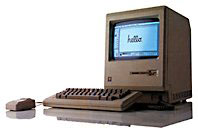
Mac 512K System Disks
 From StuartBell
Dear Charles,
You wrote:
Hi Michele,
You can find information and lots of links on this issuehere:
You're going to have to find someone with a Mac that has afloppy drive that supports 400K/800K floppies, however. Perhaps youcould find a somewhat newer old Mac for sale cheaply?
Charles
Editor's note: The only Macs that included 800K floppies werethe Mac Plus, 512Ke, pre-FDHD SE, and the Mac II. To the best of myrecollection, you can't make a 400K floppy using a 1.4 MB drive.dk
Three quick comments:
- "Why should anyone need more than 512 KB?" ;-) Moreseriously, please don't recommend that people upgrade; all suchancient Macs are used for pleasure, rather than work, and you canget more pleasure out of a Mac512K than most mid-90s beige boxes.
- A quick plug for the LEMCompact Macs mailing list to solve problems likeMichele's.
- Dan is wrong about 1.4 MB drives not being able to write 400 KBfloppies. Any Mac with a built-in 1.4 MB floppy running Mac OS 7.xor earlier can create 400 KB floppies. SE/30s are very commonly used togenerate such floppies for old Macs. See http://www.mac512.com/macwebpages/makedisk.htm
Best wishes,
Stuart
Hi Stuart,
Thanks for the information. I agree that 512Ks arequite sublime. We still have one around here somewhere that belongsto my daughter, although it hasn't been started up since the 90s,and I haven't a clue where the disks are.
Charles
Tape Allows Use of HD Floppies in 400K/800KDrives
From John Thomas
Hi Mr. Moore,
Recall you can put tape over the open hole in a 1.44M floppy tomake an 800K floppy. I have one that runs 6.0.something on myMac Plus at home. Let theItalian fellow know (I don't have his email). Also Jag's House is agood resource for this stuff.
Dr. John C. Thomas
Hi John,
Now that you mention it, I do remember the tapemodification, although I also vaguely recall that there was sometechnical reason why it was to be discouraged. Something to do withthe more dense track spacing on the 1.44M disks I think.
Charles
Go to Charles Moore's Mailbag index.





