iBook attached keyboard and mouse
From Lowell Neudeck
I have an iBook 800
Combo with 14-inch screen. When home, it would be handier to use an
attached keyboard and (wireless or optical) mouse.
What do you recommend?
TIA
Hi Lowell,
You can really use any Mac compatible USB keyboard and
mouse that suits your fancy. If you like the light, short-travel,
scissors action of the 'Book keyboards, the closest you can come in a
freestanding keyboard is the Macally
iceKey.
The Apple Pro Keyboard has pretty nice action, too. If
you want to go full wireless/optical, check out one of the Logitech
Combo sets. I tested a Logitech Elite Combo keyboard and mouse recently
that worked well.
Actually, you can use ADB keyboards and pointing
devices as well if you get a Griffin iMate Adapter.
If you go this route, I encourage you to also invest
in a laptop stand that will get your iBook elevated to a more
ergonomically sound viewing angle. The LapVantage Dome and the Griffin
iCurve are popular examples, but there are several others on the
market.
Charles
Graphire 2 Handwriting/Note Taking?
From Neil B. Chapman
Mr. Moore,
I have a Graphire tablet that I use with my
TiBook, but for the life of me I can't figure out how to sign my name
to documents with it. The closest thing I can do with it is to use the
Draw function in Microsoft Word, which
looks jagged as hell.
My understanding is that the special note taking software that comes
bundled with the Graphire is Windows-only.
It would be very cool if the Graphire could be used seamlessly for
note taking (saved as a TIFF or JPEG) like the Tablet PCs allow. This
would give a laptop user much of the function of the expensive Tablet
PCs, though clearly not as portable.
I would appreciate if you could explain how you are able to use the
Wacom tablet to sign your name, etc.
Cheers,
Neil B. Chapman, Esq.
Hi Neil,
You just need a pixel based graphics program in which
to sign your name and save the signature as a PICT or TIFF file. Then
you can copy and paste the saved signature into letters or
whatever.
My Graphire II came with Adobe Photoshop Elements, a
"lite" version of Adobe Photoshop, but freehand input from the Wacom
tablet works fine in Color It! 4.1, my favorite all-round graphics app,
and I presume will work with the shareware GraphicConverter program,
the paint module in AppleWorks, or any similar bitmap graphics
program.
Another way to import a handwritten signature for
pasting into letters and documents is to scan from paper copy and save
the image as a graphics file.
In OS X, the Inkwell feature has a mode that allows
freehand imaging using a Wacom tablet as well as handwriting (actually
printing) recognition.
Charles
Editor's note: Don't blame Word for this shortcoming. Word
processing software is optimized to handle text input, not graphics.
Mac users have been using scanned signatures, as Charles suggests, as
long as there have been scanners for the Mac.
Read your review of the Wacom graphics pad - got a
question...
From Sandy Mitchell
The Wacom sounds great, but I can't afford one right now. Are you at
all familiar with KB Gear's "Pablo-Internet Edition" graphics pad? Some
months ago I picked one up for a mere $20 (Model #KG-PB20) and never
got around to installing/using it. It has USB connection and sounds
somewhat similar to the Wacom (no mouse though)...
I bought it from a local used-computer place and tried loading the
software (it came with a CD labeled "Tablet drivers for Windows and
Macintosh") on one of the Macs they had there, but it wasn't easy
figuring out how to use the thing once I installed the drivers.
So I'm just writing on the off chance that you might have some
experience with the product - maybe just to warn me off it!
Thanks,
Sandy Mitchell
Hi Sandy,
Sorry, I've never heard of this KB Gear graphics pad.
Perhaps our readers can help.
One big advantage the Wacom tablets have over other
brands, is that OS X Jaguar "Inkwell" only supports Wacom tablets.
Charles
Editor's note: According to this
article, "KB Gear liquidated and as of Nov. 1, 2001, is no longer
in business." If the drivers Sandy has don't work, that may be the end
of the story.
OS X Bible Software
From Stephen Ashton
Hello Charles
I saw your comments on Bible software available for OS X. I
find that the best Bible program is the Online Bible,
which is currently only available for OS 9/Classic, but an OS X
update is promised in March.
Regards
Stephen
Re: OS X Bible Software
From Andrew Main
Charles,
Do you know about the Online Bible for Macintosh? Not OS X, but it's
free. Maybe it'll be ported forward one of these days.
Re: "TextEdit and Web Pages": What is "this TextEdit trick"? This is
noninformative to anyone who doesn't remember what it refers to (I
don't), and there's no link.
Andrew Main
Hi Stephen and Andrew,
Yup, I've had Online Bible on my hard drive for a
while. Actually, the one I use most often is
BibleBrowser/BibleViewer, which is small and fast, albeit
basic.
Frankly, I don't recall exactly what Peter Gethgen was
referring to in the "TextEdit and Web Pages trick" letter. However, I
did ask Tom Bender how he got OS X spell check to work in Tex Edit
Plus, which is a Carbon app. Tom says:
"TE+ is a Carbon app, however it is not just any Carbon app. It
has been extensively reprogrammed to make use of native OS X event
handling. This makes it much easier to add floating palettes and to
interface with OS X facilities such as the spell checker, the
fonts toolbar, standard file dialogs, standard print dialogs, the
Services menu, etc.
"TE+ also is a Mach-O binary (OS X native application
structure) and uses nib files (OS X native resource files) to
create all UI elements. The result is an application that is smoother
and more stable than a simple Carbon port."
Charles
A PB 1400 question
From Doug Arnott
Hello Mr. Moore. A question for you from a fellow Canadian.
I purchased a 1400c 166
online a while back and have been really happy with it. I got it for a
pretty good price 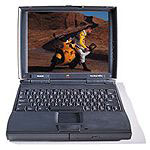 (even after Revenue Canada got
their cut at the border), and it has been pretty much all the computer
that I need. If I had an obscene amount of disposable income, I'd
probably get the battery rebuilt and maybe even change the processor
out.
(even after Revenue Canada got
their cut at the border), and it has been pretty much all the computer
that I need. If I had an obscene amount of disposable income, I'd
probably get the battery rebuilt and maybe even change the processor
out.
Well, either that or just buy a new 'Book.
Anyway, recently my financial situation has changed. I can now think
about upgrading the RAM and being able to afford to eat this month. It
won't be much, but it will make life run a little faster. The problem
now, unfortunately, is getting into the little blighter.
All the Apple info on opening up a 1400 seems fairly
straightforward. You flip the keyboard up, pull the heat shield out,
and should be face-to-face with the RAM module, the processor, and the
video slot.
My heat shield, perhaps in an attempt to preserve the 'book's
modesty, will not budge. Not even a centimeter. I tried pulling the
hard-drive so I could get my fingers under it. No such luck. I even
tried (inadvisably, but driven by pigheaded stubbornness) to lever it
off any place I could slip a screwdriver.
Do you have any idea as to what the problem is here? I have to be
able to see the RAM currently installed to be able to order more, since
there are two different kinds of RAM cards (a 'bottom' card with an
expansion connector and a 'top' without.) The agency I bought it from,
of course, does not know which card is resting in the bowels of my
computer.
For what it is worth, my 'Book seems different than the one in the
Apple illustrations. According to the Apple drawing, the shield should
pull straight up after the screws are removed. It appears that the
shield on mine tucks under the plastic on the bottom right-hand corner,
making it a little hard to pull it straight up.
The alternative is to pay $60 more for a 48 MB 'card' (actually two
24s), and then trust a local technician to install it - something I'm
loathe to do, since the people around here, for the most part, seem far
more knowledgeable about modern machines than relics like mine. Not
surprising, of course, but not especially helpful for Low End Mac users like myself.
Thanks for your time,
Doug Arnott
Hi Doug,
We have two PowerBook 1400s currently in the family, a
117 and a 133, but I must confess that I have never opened either of
them up. The 117 has 40 MB of RAM and the 133 has 64 MB.
My guess is that the one in the Apple photos was a
117, and the 166 you have is slightly different inside.
I'm going to have to appeal to the reader s on this
question.
If you're within convenient range of an Apple-savvy
service outlet, it might be worth a shot giving them a call to ask if
there is a simple solution.
Charles
Thank you!
From Jean
Hello Charles -
I just finished devouring your article, Wide Selection of PowerBook Drive Upgrades (3
August 2000).
I have a PowerBook G3, and I needed help understanding what I was
getting into with upgrading hard drive and RAM. I am so excited, I can
hardly stand it - having searched sufficient suppliers to make a
selection; understand what I need and what to watch out for, etc.,
etc.
Thanks so much for your time and effort writing such a good
article.
Keep up the good work.
Jean
Hi Jean,
Good to hear that the article was helpful.
Charles
Trying to get zapo.net to work...
From Christian Ressel
Attn. Mr. Charles Moore
Dear Charles,
Having caught your page at <http://www.lowendmac.com/misc/02/1023.html>
makes me believe you could kindly assist me at getting my account at
Zapo.Net to work:
I understand the POP account to be mail.zapo.net, yet please, what
exactly does the SMTP account have to look like?
Regards, Christian
Hi Christian,
If you can even get the zapo.net website to come up,
you're having better luck than me. It appears that they are either
having prolonged server difficulties or have disappeared.
I suggest trying one of the other services mentioned
in the article. Note that GMX is no longer signing up new accounts
outside German-speaking Europe.
Charles
T3Hub Ultraportable USB-Hub
From Andrew Main
Charles,
This is truly a clever little device, but unfortunately it doesn't
work with the Mac model most in need of a USB hub: the original iBook, which has
only one USB port. The USB port is recessed into the iBook's casing,
and the casing of the T3Hub
prevents it being inserted fully. The T3Hub comes with an "optional"
little USB extension cord that can be used to connect it to the iBook,
but that kind of defeats the point of it.
I got a T3Hub for a client with an iBook and was very disappointed
to find it didn't fit - a fact not mentioned anywhere in the company's
publicity. In desperation, I took the thing apart and carved its casing
down with a razor blade, a rather inelegant "solution", but I returned
the two others I'd bought at the same time for future needs. Of course
I was out the shipping. Not impressed.
Andrew Main
Hi Andrew,
That is an issue that definitely should be mentioned
as a caveat in the promotional and sales literature. Thanks for the
heads-up.
Charles
Daystar Turbo 040 And System 6
From John Allan
Hi,
Don't know if it counts, but you can run a IIci with a Daystar
Turbo 040 40 MHz on System 6.
John
Hi John,
That's pretty esoteric, but I guess it counts.
Charles
Letters sent may be published at our discretion. Email
addresses will not be published unless requested. If you prefer that
your message not be published, mark it "not for publication." Letters
may be edited for length, context, and to match house style.



